
Property facts
Add short questions about the home and show the answers in the report.
Use property facts to record details such as Roof covering or Service size. Add questions to a template so they are ready when a visit starts.
Create a fact
Open Library → Comments → Property facts, then select New fact.
- Enter a Name, up to 80 characters.
- Select Pick from a list or Type an answer.
- Set the answer options below.
- Select Add fact.
| Answer | Settings | The inspector |
|---|---|---|
| Pick from a list | Add choices. Answers allowed starts at One. Select Multiple to allow several. Use Add “Other” to let them type their own answer. Sort A–Z sorts the choices. | Selects one choice, or several with Multiple. |
| Type an answer → Text | None. | Types a few words. |
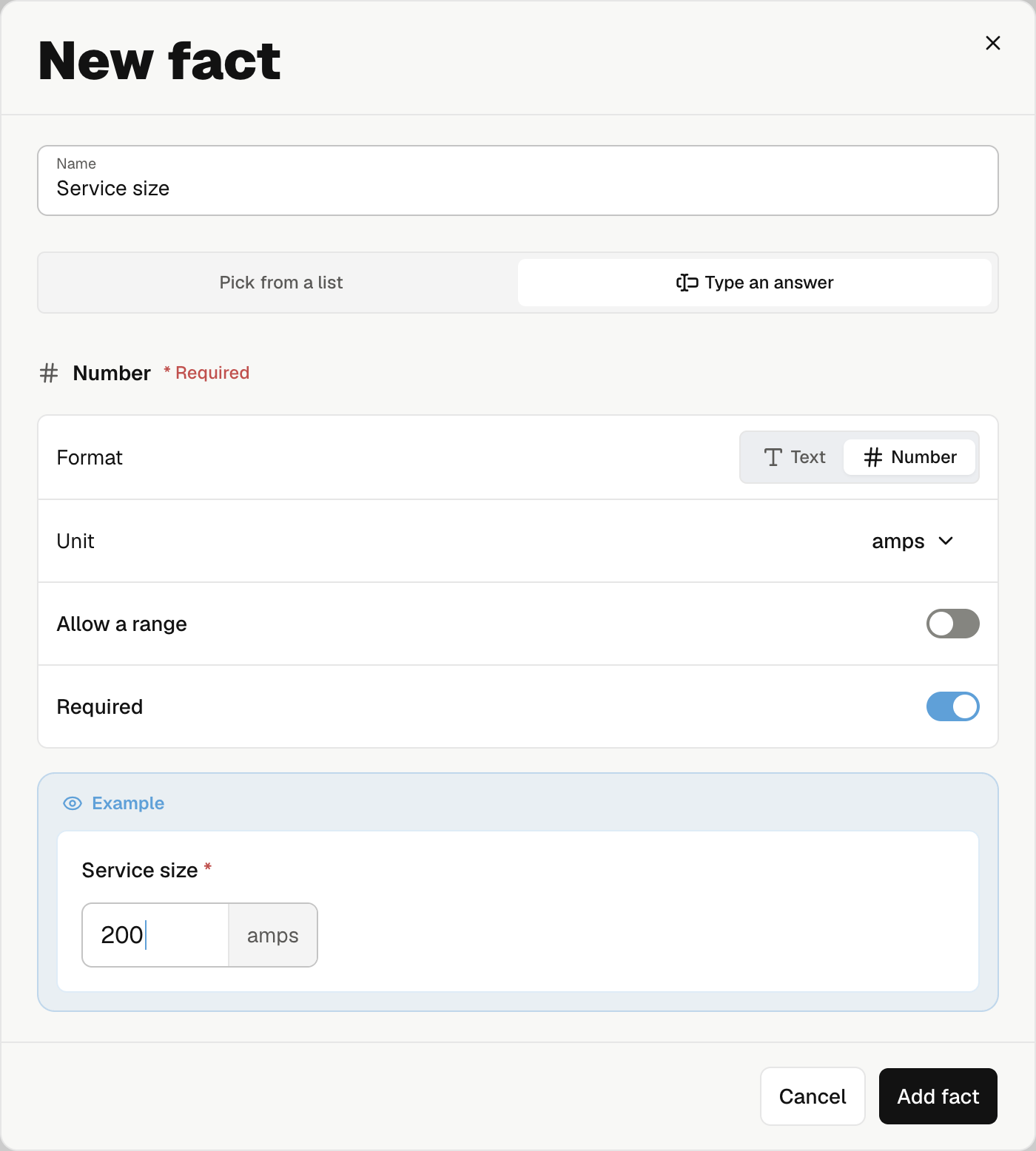
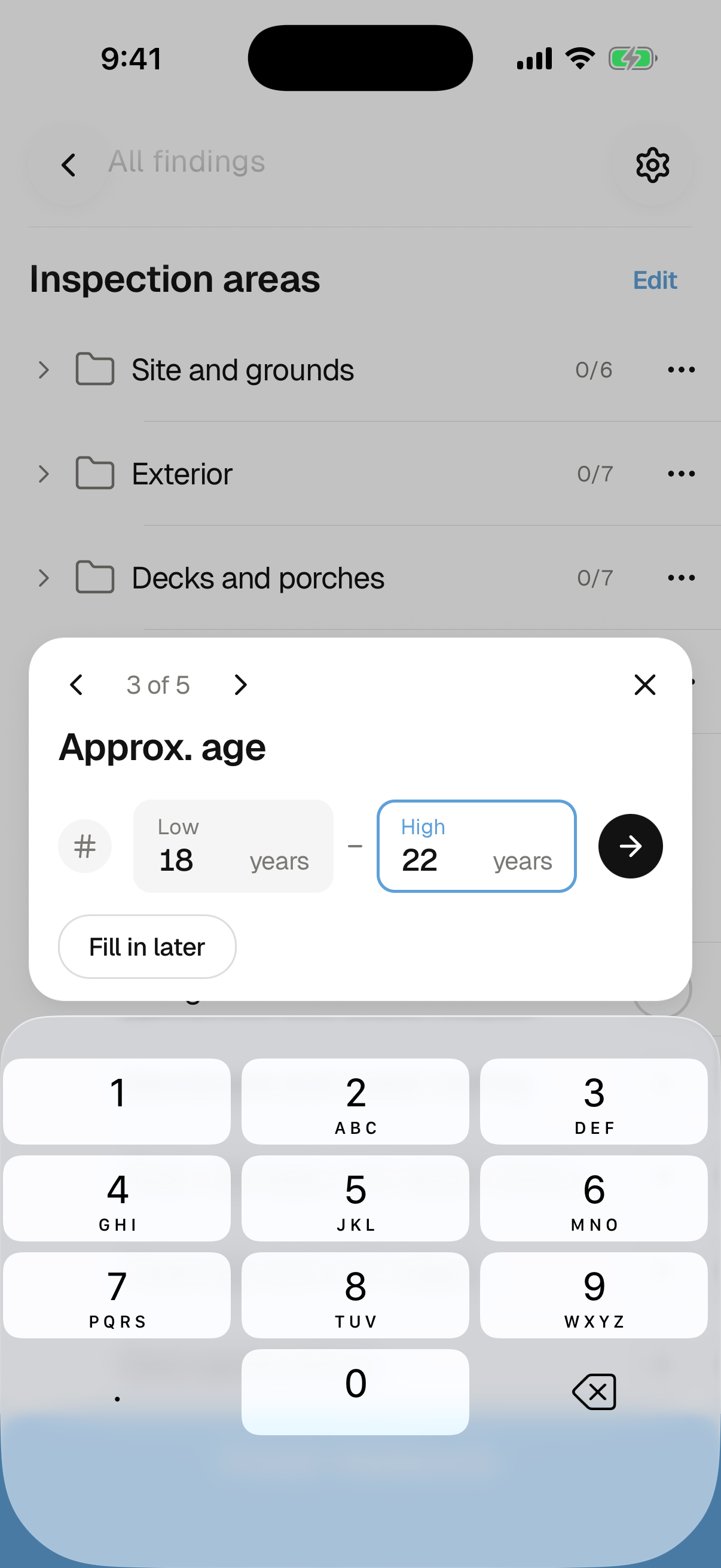
| Type an answer → Number | Pick a Unit. Turn on Allow a range for a low and high number. | Types a number, or two for a range. |
Required is coming soon. For now, you can't turn it on.
Number units
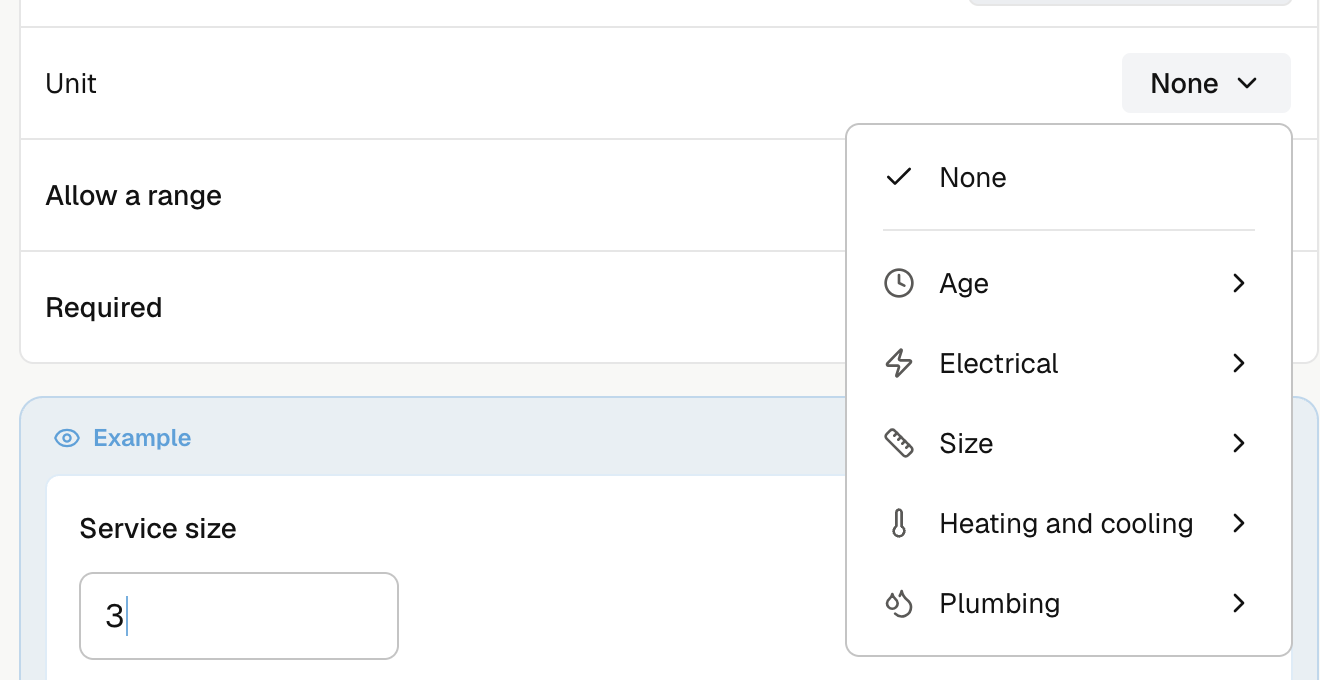
Pick a unit from Unit, or None. The unit prints after the number.
| Group | Units |
|---|---|
| Age | years |
| Electrical | amps, volts, watts |
| Size | inches, feet, sq ft, gallons |
| Heating and cooling | °F, BTU/hr, tons, CFM |
| Plumbing | psi, gpm |
| Answer typed | Prints as |
|---|---|
| 200, unit amps | 200 amps |
| 18 and 22, unit years, range on | 18 to 22 years |
| 22 and 18 | 18 to 22 years |
Edit or delete a fact
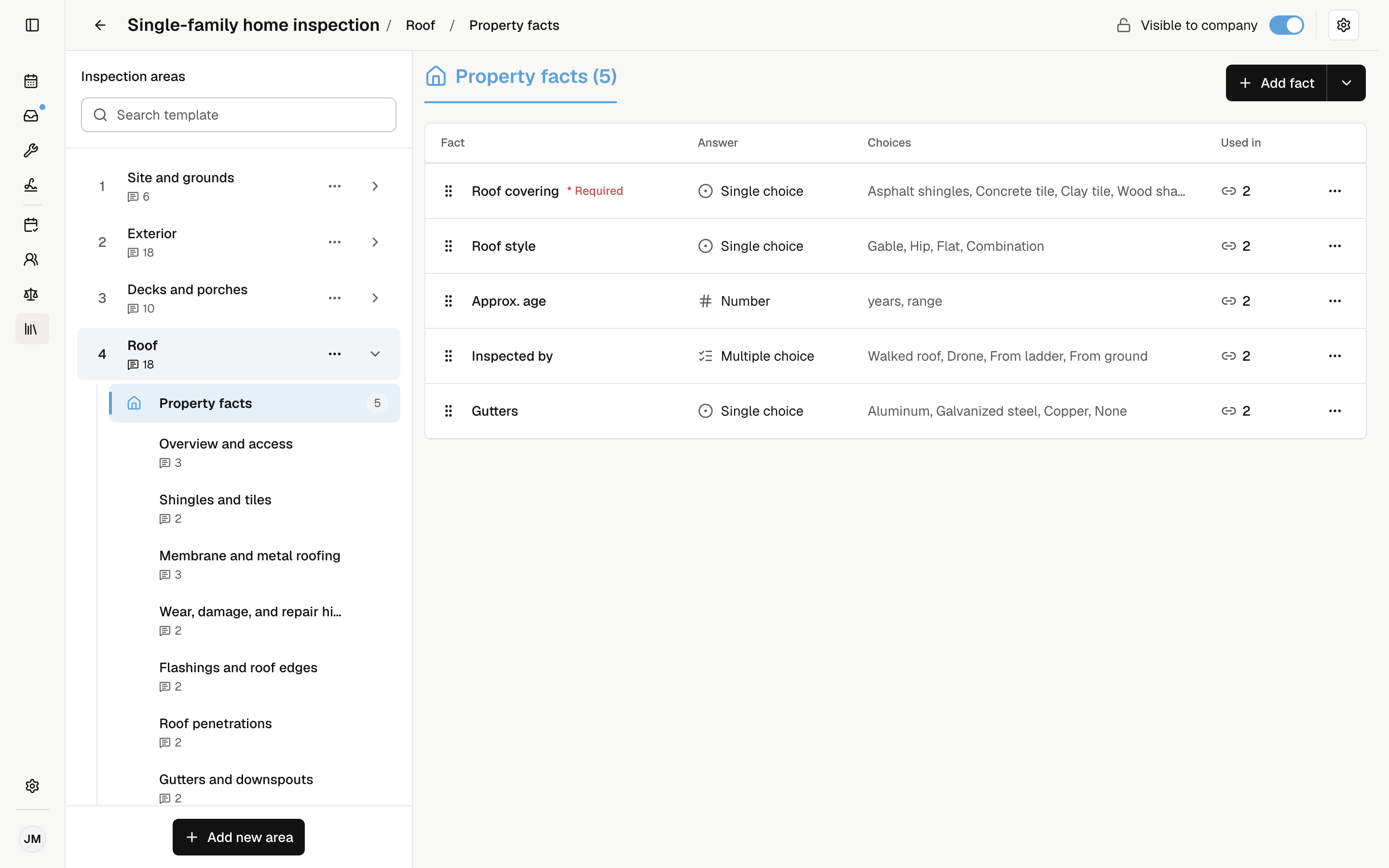
Select a fact in the library to edit it. Edits reach every template area that uses it. Used in lists those areas.
Delete fact removes it from your library and every template. It cannot be undone.
Visits keep their own copy
A visit copies its template's facts when it is created. Later library or template edits do not change it.
Add facts to a template
Open Library → Templates, then a property template. See Manage inspection templates.
- Open an area's menu, then select Add property facts. An area that has facts shows a Property facts row instead.
- Select Add fact, then pick a saved fact or Create new fact. With no saved facts, New fact opens right away.
- Drag the grips to set the order.
| In Add fact | Effect |
|---|---|
| A saved fact | Adds it to this area. |
| Added | It is already in this area. |
| Create new fact | Starts a fact. Type in search first to fill in its name. |
| Fact menu | Effect |
|---|---|
| Edit | Changes the fact everywhere it is used. |
| Copy to | Places the fact on another area. |
| Remove | Takes it off this area only. Undo is offered. |
An area holds up to 9 facts. Duplicating a template or area keeps its facts.
Answer facts in the app
Open the visit, then expand an area. Select Property facts. The count shows answered facts, such as 2/5. It turns into a check when all are answered.
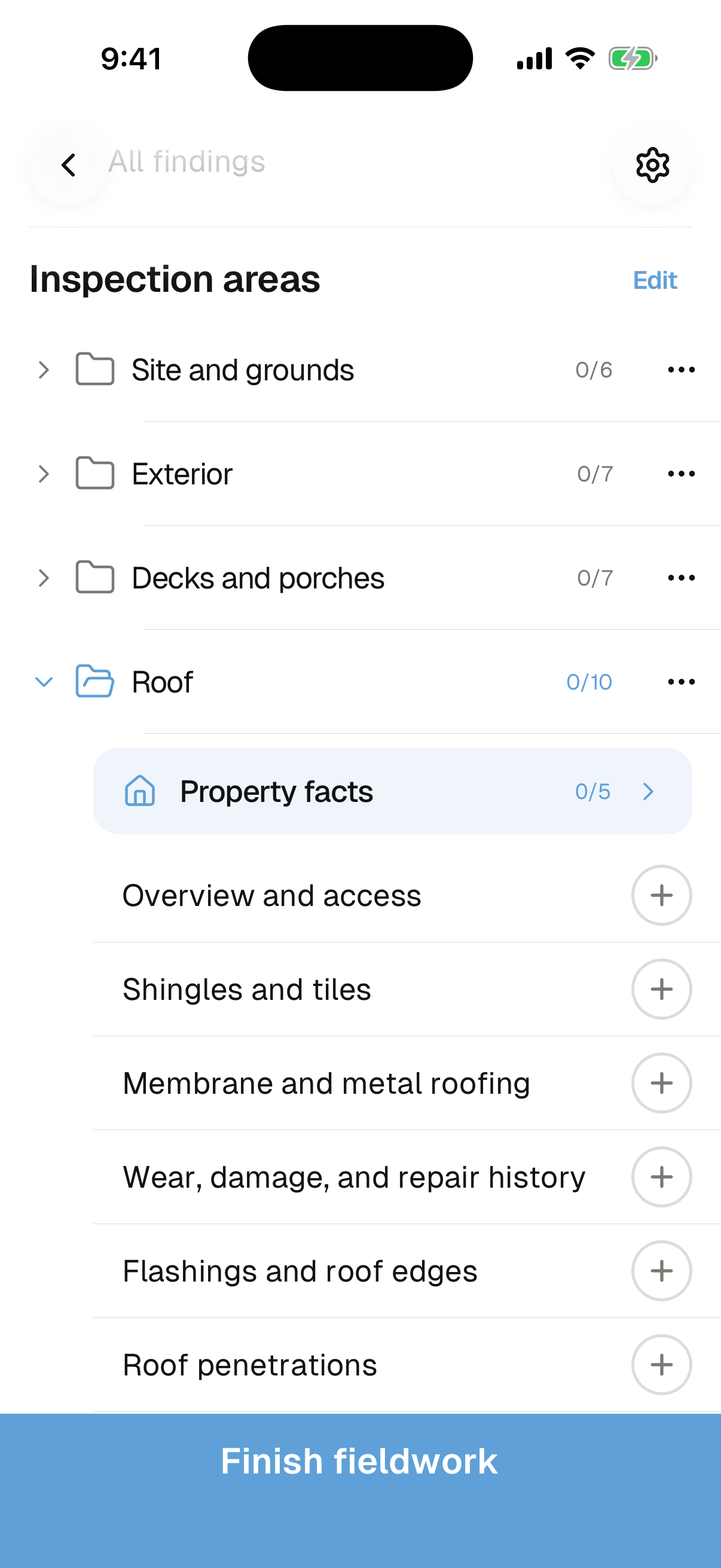
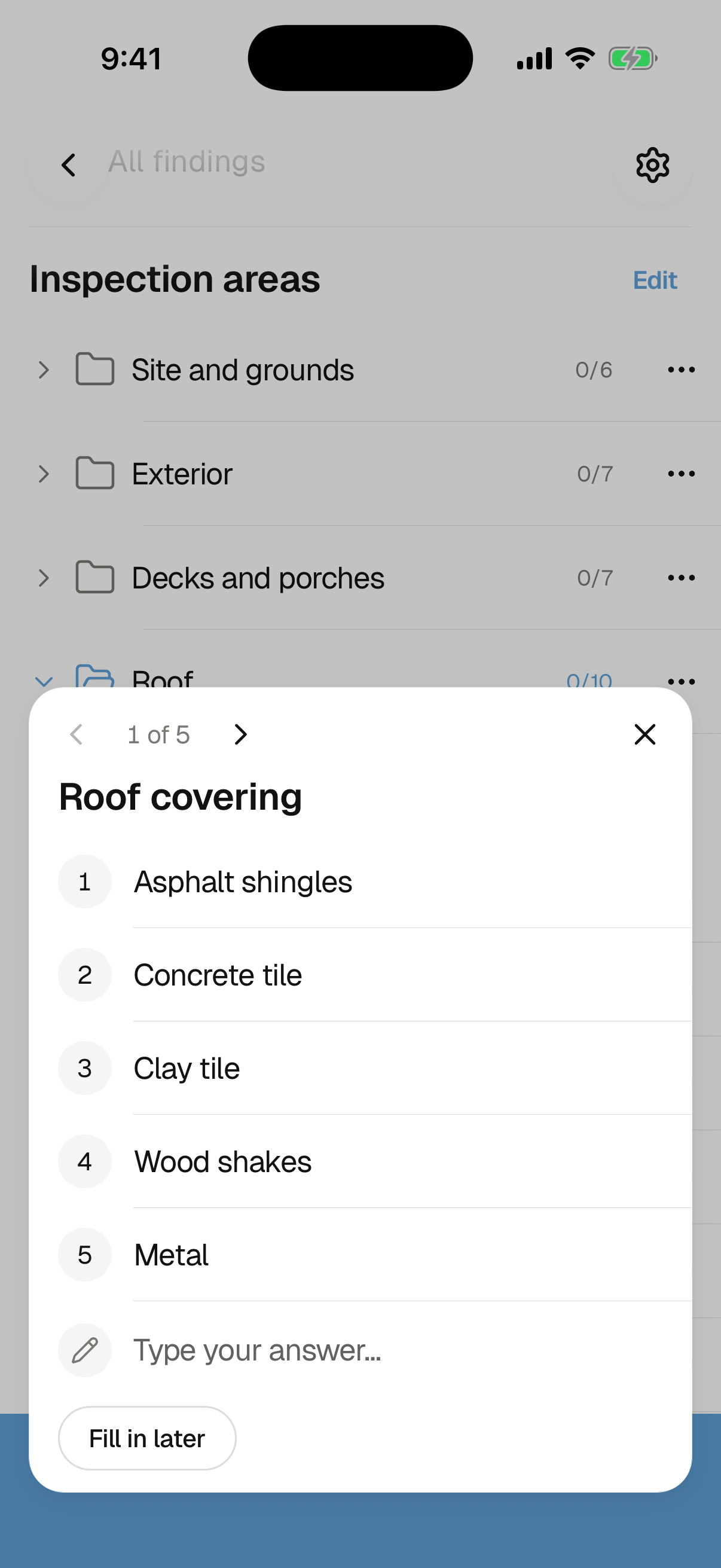
The card shows one fact at a time.
| Fact | What to do |
|---|---|
| Single choice | Select a choice. The card moves to the next open fact. |
| Multiple choice | Select each choice that fits, then select the arrow. |
| Write your own choice, when offered | Use Type your answer…, then select the arrow beside it. |
| Text or number | Type it, then select the arrow. A range has Low and High fields. |
| Button | Effect |
|---|---|
| Fill in later | Skips the fact. The card returns to it next time. |
| Clear answer | Removes a saved answer. |
| ‹ and › | Moves between facts. What you typed saves. |
Each answer saves on the phone right away, even offline. It syncs when you reconnect.
Edit facts in a report
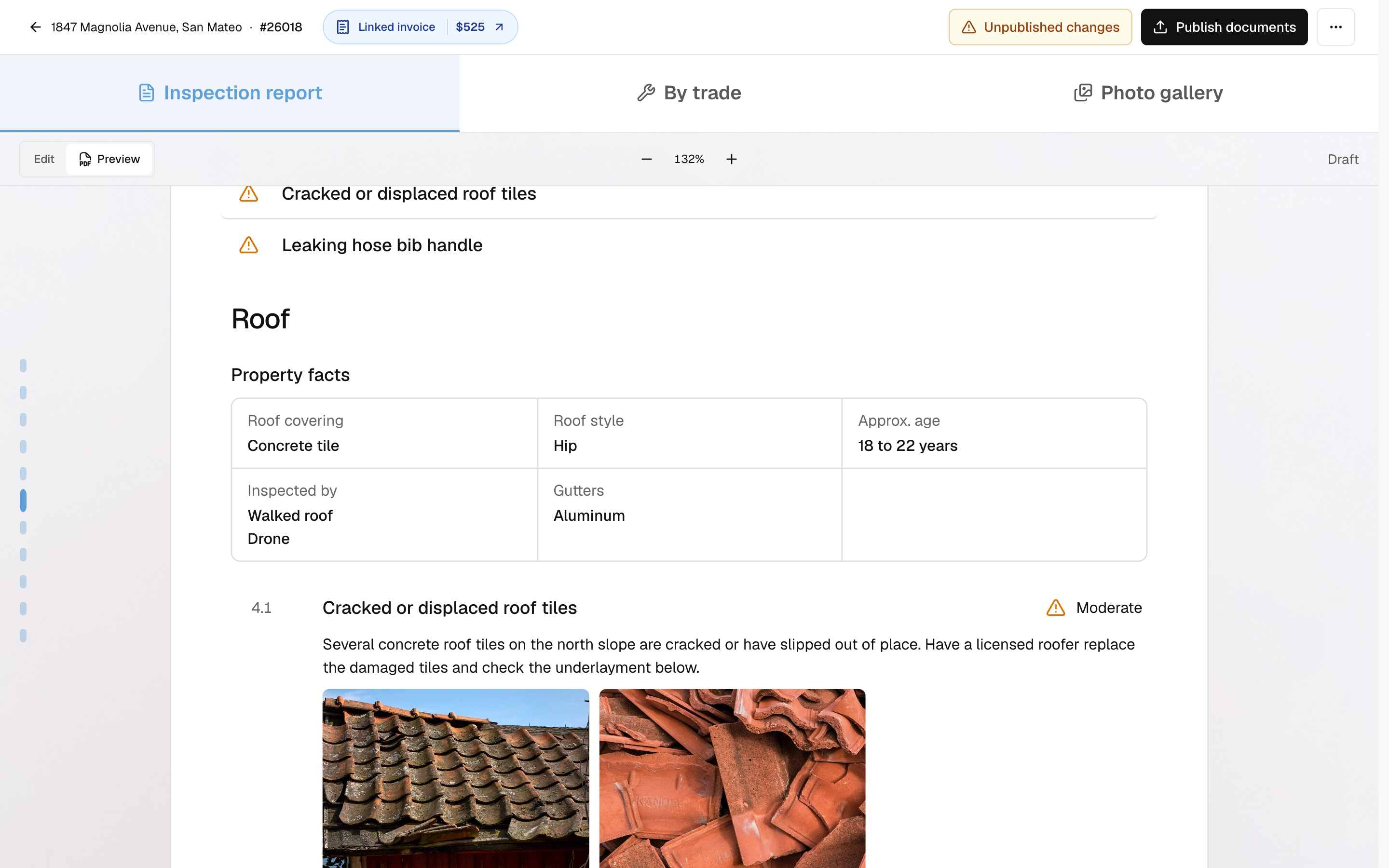
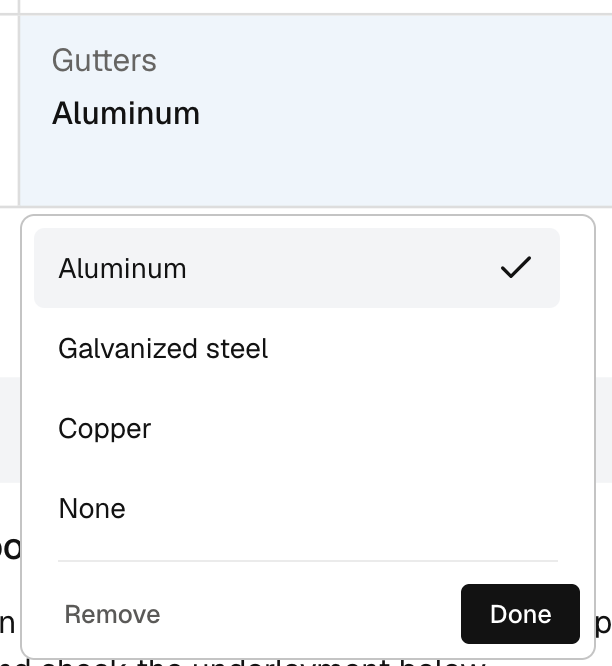
On web, open the report in Edit. Go to the area's Property facts grid. An empty cell shows Add. In the app, open the visit's fact card to change answers.
- Select a cell.
- Pick or type the answer.
- Select Done, or select outside the cell. Press Escape to drop the change.
| Action | Where | Effect |
|---|---|---|
| Add a fact | Add fact beside the grid, or the area menu → Add property fact | Picks a library fact, or Create new fact. |
| Remove one fact | Its cell → Remove | Takes it off this report. |
| Remove all facts | Area menu → Remove property facts | Clears the area's facts and answers after you confirm. |
A new fact from the report stays on this visit. Turn on Also add to library to save it for later. Report edits never change your template or library.
What prints
| In the report | Prints |
|---|---|
| Answered fact | Its label and answer. Multiple answers print one per line. |
| Open fact | Nothing. It shows only in Edit. |
| Area with no answers | No grid. |
The grid has three columns. See How pages break.