
By trade report
Group repairs by who can fix them and share the list with your client.
Open your property report from Jobs. Select By trade above the pages on web, or at the bottom of the app.
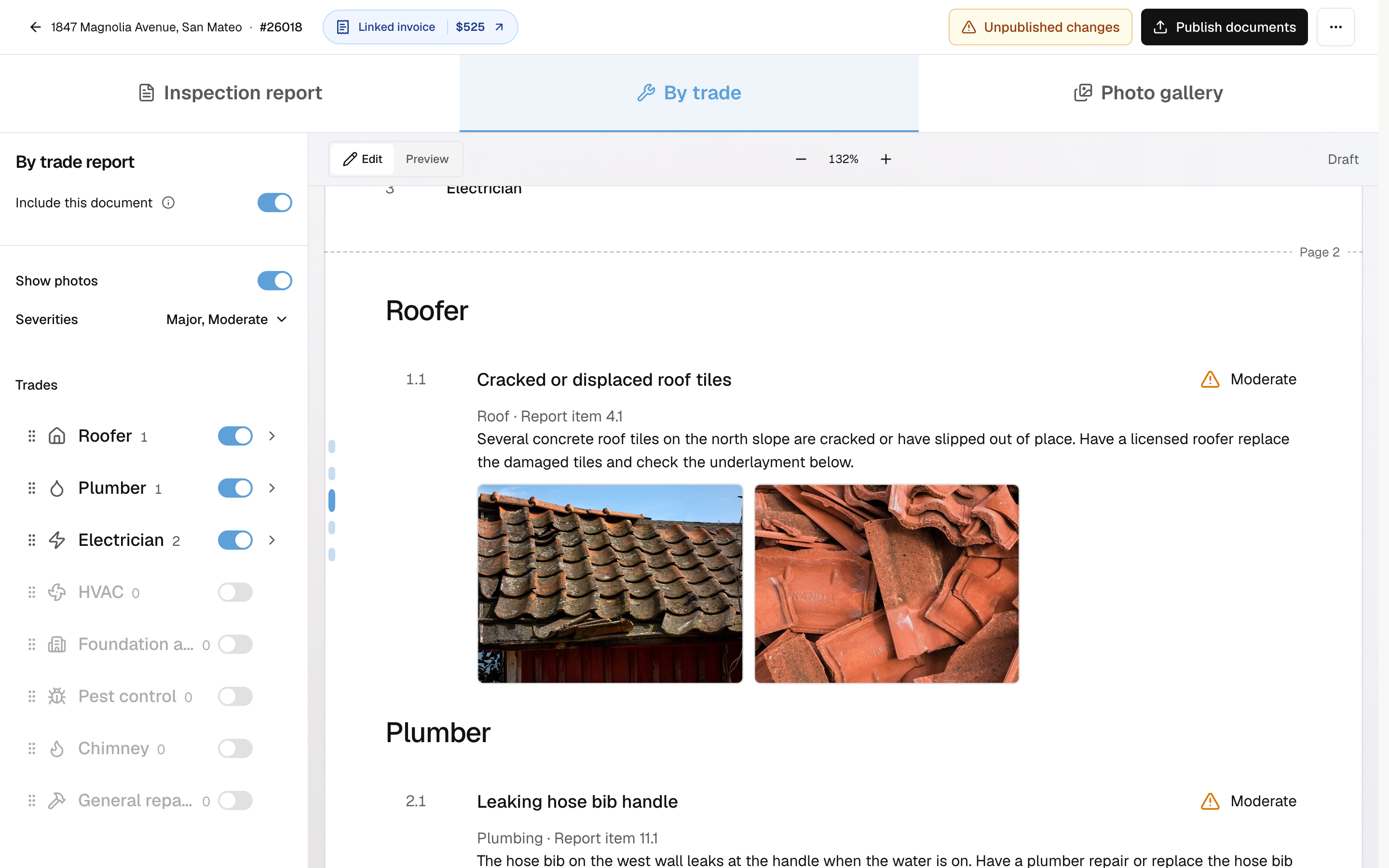
Include it or leave it out
| Where | Control |
|---|---|
| Web | Include this document. If it is off, select Include by trade report. |
| App | Drag the handle up and use Include in report. If it is off, you can also select Include by trade report. |
If it is on, at least one finding must match the trade and severity choices before you can publish. If none match, show more or turn the document off. See company defaults to set the starting choice for new visits.
How findings get a trade
Noma sorts findings when you finish fieldwork. It checks new or changed wording later. A finding with no match goes to General repairs. If you pick a trade yourself, Noma keeps your pick.
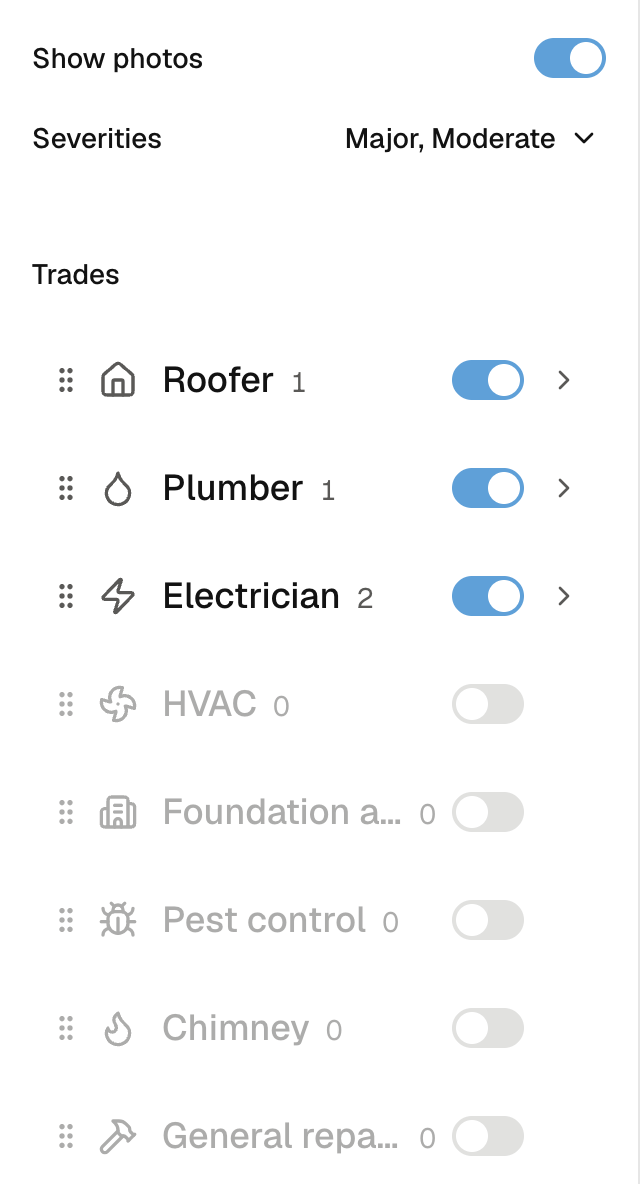
The trades are Roofer, Plumber, Electrician, HVAC, Foundation and structural, Pest control, Chimney, and General repairs.
Choose what prints
| Control | What it does |
|---|---|
| Show findings on web, or Findings in the app | Picks which findings print, by severity. Findings with no severity stay out. You can pick a level your company turned off if a finding in this report still uses it. |
| Show photos on web, or Photos in the app | Adds photos to those findings. |
| Trades | Use a trade's switch to show or hide its findings. On web, drag the grips to change the order. Empty trades have no page. |
Only findings from the full report can print. Within a trade, the most urgent items come first until you set an order on web.
Move a finding to another trade
| Where | Steps |
|---|---|
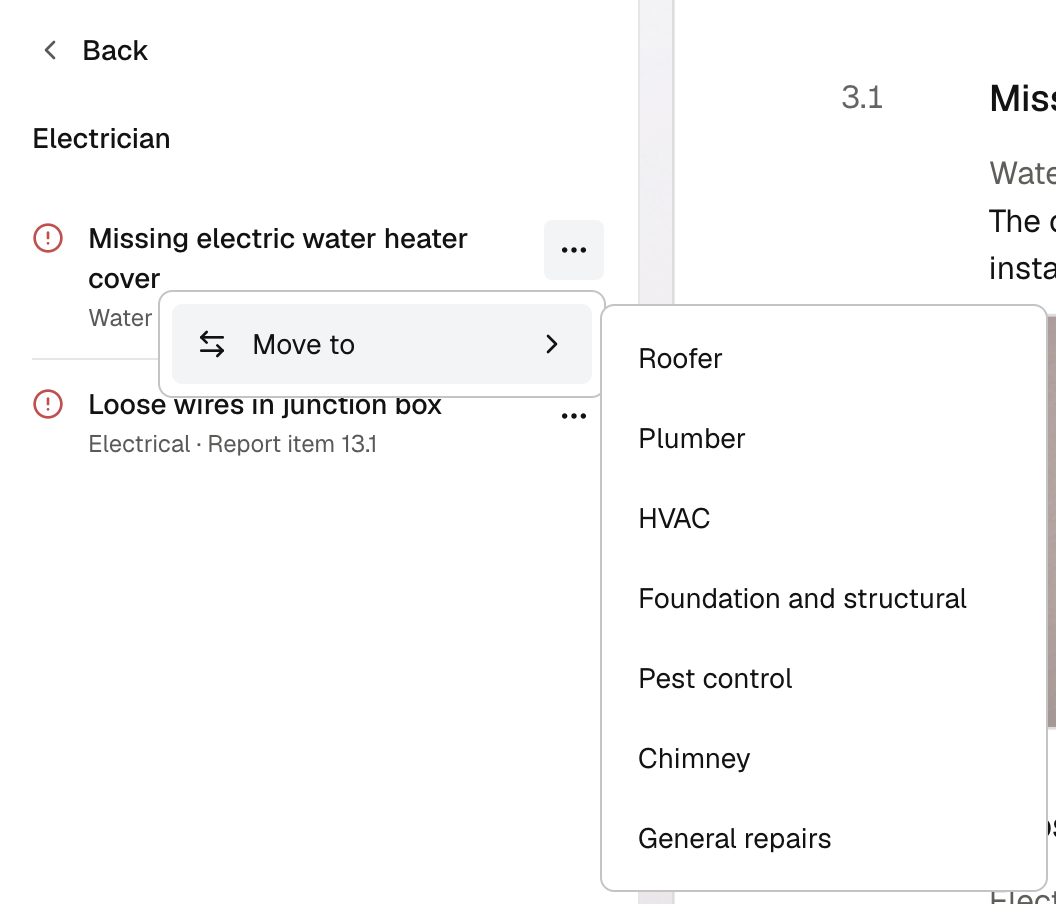
| Web list | Select a trade. Open the finding's menu, then Move to, and choose a trade. Use Undo in the message to go back. |
| Web paper | Drag the finding to another spot or trade. |
| App | Select the trade and then the finding to open Move to. Choose the new trade. You can also select the finding on the paper to find it in the list. |
To change the finding's words, severity, or photos, edit it in the full report.
What clients get
The cover reads Repairs by trade. The table of contents lists the trades that print. Each repair shows its area and item number from the full report, such as Roof · Report item 4.1.
After you publish, the client can open By trade on the report page. Download by trade saves its PDF.