
Record pesticide use after a visit
List the products you used and prepare an after-treatment notice.
Choose your inspector type
Open Jobs on web and select the job. Open Create document, then select Create after-treatment notice. Any company member can do this on a property or termite job, with or without a report.
If this work visit already has a notice of work complete, open it. In the After-treatment notice tab, turn on Include this document. See which notices go together.
Check the visit details
| Field | What to enter |
|---|---|
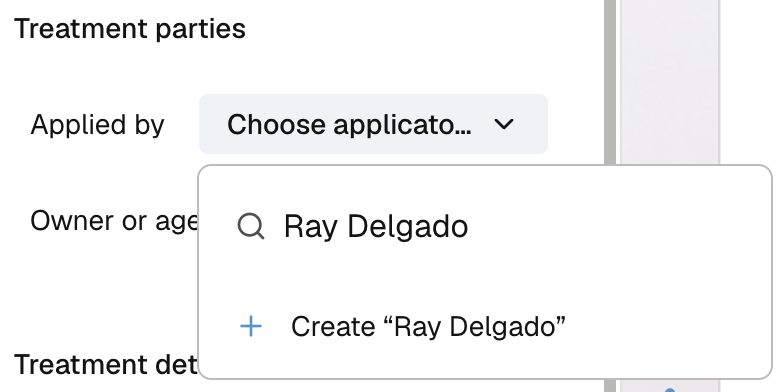
| Applied by | Choose everyone who applied the products. For someone outside your team, type their full name in Find or add a person and select Create with that name. They do not need a Noma account. |
| Owner or agent | Choose a contact or type their details. |
| Service date and Time | Enter when you treated the property. Use its local time. |
| Property address | Check where the work took place. Edits stay on this notice. |
| County | Check the county where you did the work. For a California address, choose a California county. |
Fill all five rows before you publish. A typed name prints with the team names. Uncheck it to take it off this notice.
Add the pesticides used
Check the label
Select Add pesticide and choose a product. Check Manufacturer, Registration number, and Active ingredients against the label. You can fill in missing facts on this notice.
Enter the amount used
Enter Amount before dilution and pick a unit. Use the amount of product before you mix it. The amount must be above zero.
| Measure | Units |
|---|---|
| Weight | lb, oz (weight), g |
| Volume | fl oz, pt, qt, gal, mL |
Product settings can limit the unit choices. If you change the product or unit, enter the amount again.
Add pests and save the row
Choose Target pests. Fill Locations (optional) and Methods (optional) as needed. Select Add pesticide to keep the row. To change it later, open it and select Save changes. Use Remove to delete the row.
You can add a pest, place, or method in its picker for this notice. To add it for your team, use Manage target pests, Manage locations, or Manage methods. Manage pesticides opens the product list. Your draft stays open.
Finish every row before you publish
You need at least one pesticide row with a name, maker, registration number, ingredients, amount, and target pests. Unfinished rows can stay in a draft. Select Fix issues to see what to fill in.
Publish and share
Check the paper and publish the notice. See when the PDF goes with the email.
Use it in monthly reports
Published California treatments feed monthly pesticide use reports. The Service date sets the month and County sets the county.
To fix the use, publish a revision. The new copy takes the place of the previous one in future reports. A withdrawal removes the use from future reports. If you already saved the month, see Prepare a correction.