
Revise or cancel reports
Update a report while keeping issued copies and their history.
Choose your inspector type
Open the visit's report from Jobs.
Revise an issued report
- Select Edit report. If a draft is already open, use Continue editing.
- Make your changes in the web editor. The current report remains available while you work.
- Review Preview, then select Finish revision.
- Review email delivery and select Finish & send, or finish with email off.
Closing the browser keeps your saved draft. It does not discard the revision. In the app, Open report in browser opens this workspace.
The new issue becomes current. Older PDFs, signatures, work approvals, and delivery history keep their original facts.
For termite reports, revisions start with Corrected report on. If work was already approved, Work authorization and Chemical notice start off. Including a new authorization asks for a new approval; it does not replace the earlier signed work.
Read report history
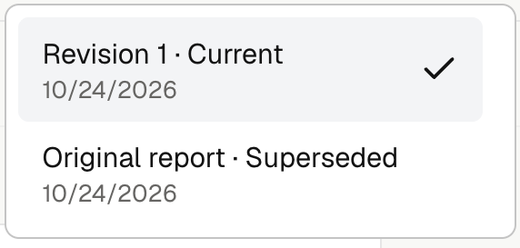
When more than one copy exists, use the report picker in the header.
| Label | Meaning |
|---|---|
| Draft report / Revision 1 · Draft | Private work that has not been issued. Revision numbers increase with each issue. |
| Current | The latest issued report that has not been cancelled. |
| Superseded | An older issue replaced by a finished revision. |
| Cancelled | An issued report that no longer accepts new responses. |
Old public links open their exact report, with its history notice. They do not redirect to a newer copy. Live report-access rules still apply.
Cancel an inspection or report
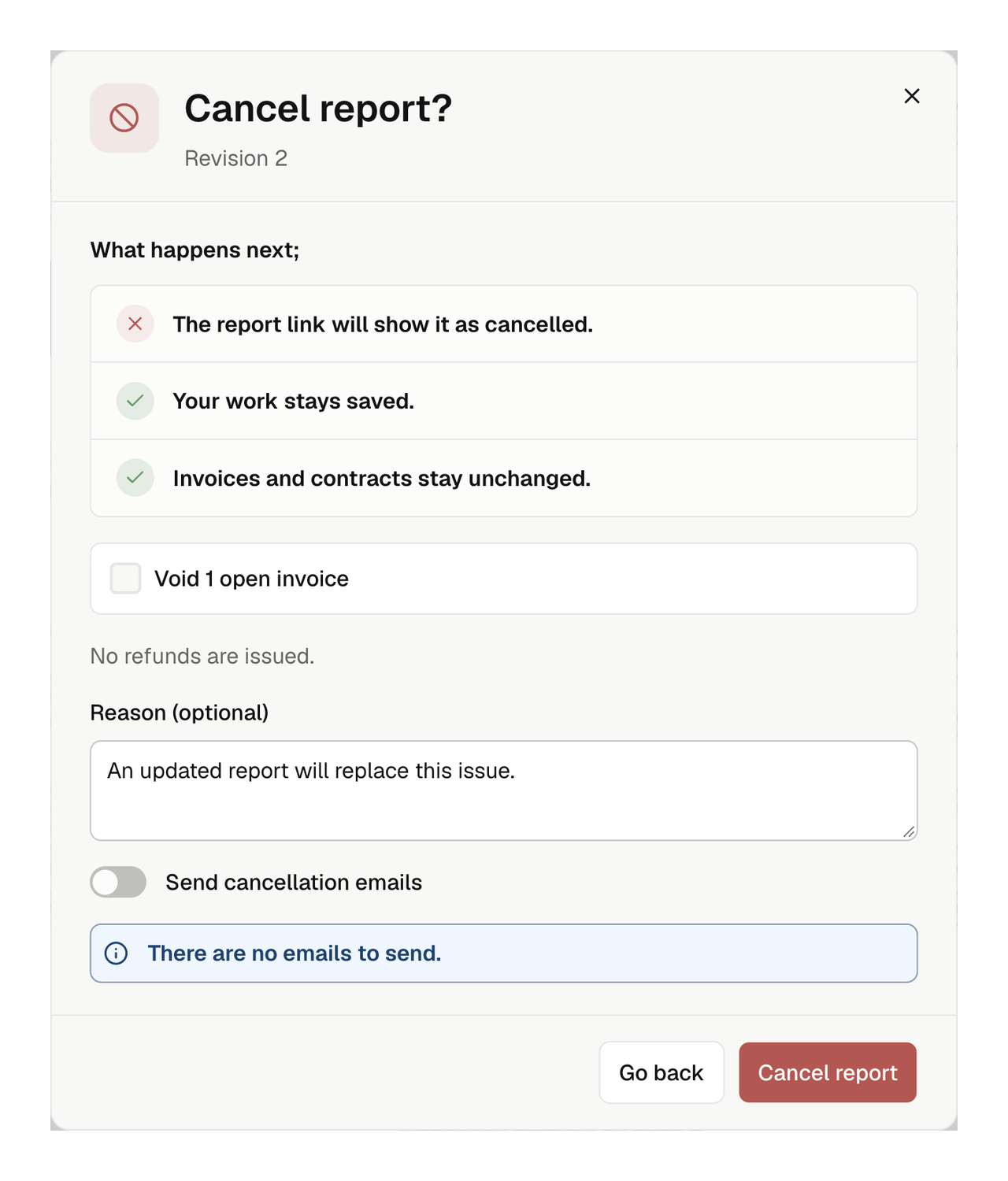
Select Cancel and review what it will affect.
| When | Result |
|---|---|
| Before a report is issued | Cancels the inspection, releases its calendar slot, and stops report preparation. Saved fieldwork and photos remain. |
| After a report is issued | Cancels the latest issued report and stops new responses. The appointment and completed fieldwork remain. |
Review the optional choices to void open inspection invoices or active inspection contracts. Unchecked documents stay available. Paid invoices, completed contracts, and signed work stay protected. Cancellation does not refund payments.
Add an optional reason, review Send cancellation emails, then select Cancel report or Cancel inspection. A report's reason appears on its cancelled public page even when email is off.
Resume work
Use the action offered for the saved state:
- Resume inspection: review the schedule and inspectors if fieldwork is unfinished. If fieldwork was already finished, Noma returns to its saved draft.
- Edit report or Continue editing: prepare a new revision of a cancelled issue on web.
Wait if Document cleanup in progress appears. Resuming does not restore voided documents or make a cancelled issue current again. Archived jobs remain read-only.