
Invite teammates
Send, resend, or revoke a company invitation.
Send an invitation
Open Invite members
Open People → Team and select Invite members.
Enter emails and roles
Enter each person's email and choose their roles. Select Add another member for more people.
Member is the default. Use unique emails that do not belong to active members or pending invitations.
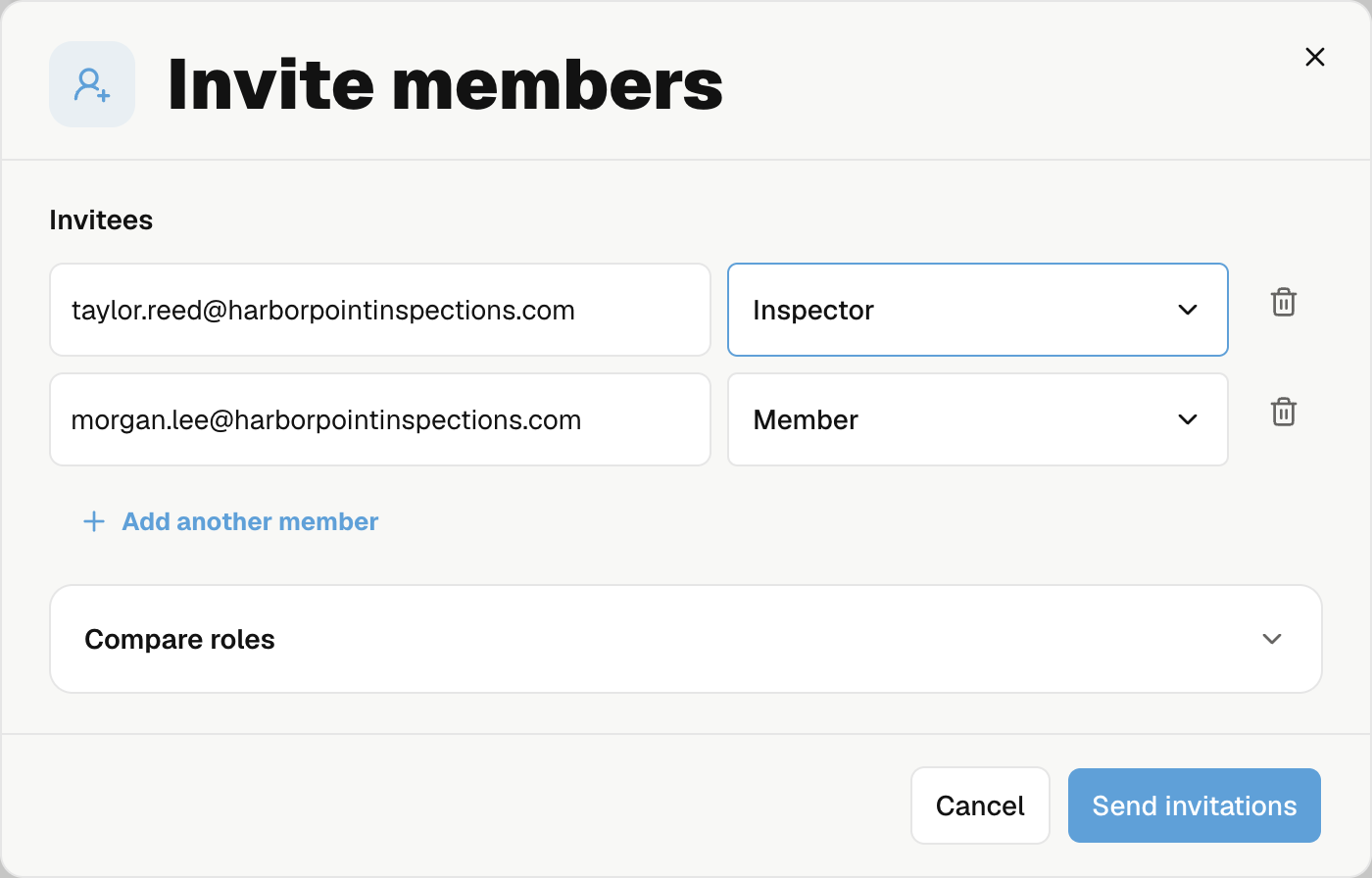
Send invitations
Select Send invitations. Each person joins through their email link using the invited email.
If Noma says some invitations were not sent, their saved rows remain in Team. Open those invitations instead of adding the people again.
Who you can invite
| Your role | You can invite |
|---|---|
| Member or Inspector | Members and Inspectors |
| Billing manager | Members, Inspectors, and Billing managers |
| Admin | All roles |
People count toward billing after joining. Review team charges.
Resend or revoke
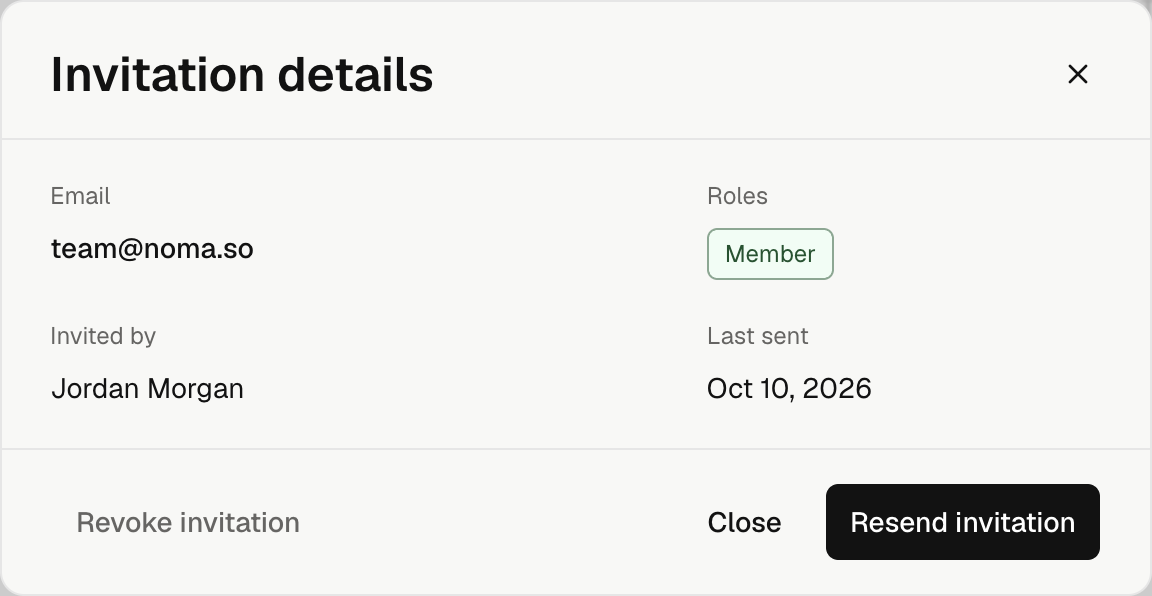
Select the invited person in Team. Invitation details shows their roles, sender, and last sent date.
- Resend invitation sends a new link and replaces the old one. You can resend once per minute if you can grant all the invitation's roles.
- Revoke invitation stops the link. Only an Admin can revoke it. Confirm the action; you can invite the person again later.
Recover an unsent invitation
Open the invited person in Team and use the action shown:
| Action | What it does |
|---|---|
| Send invitation | Sends an invitation saved before its email was sent. |
| Recheck | Checks an unconfirmed send before trying another. |
| Try again | Retries a failed send. |
Last sent shows the last confirmed send, or Not sent. You need permission to grant all the invitation's roles. Wait one minute between confirmed invitation sends.