
Track bank payouts
Review balances, bank transfers, and their status.
Open Payments → Payouts. Admin or Billing manager access is required.
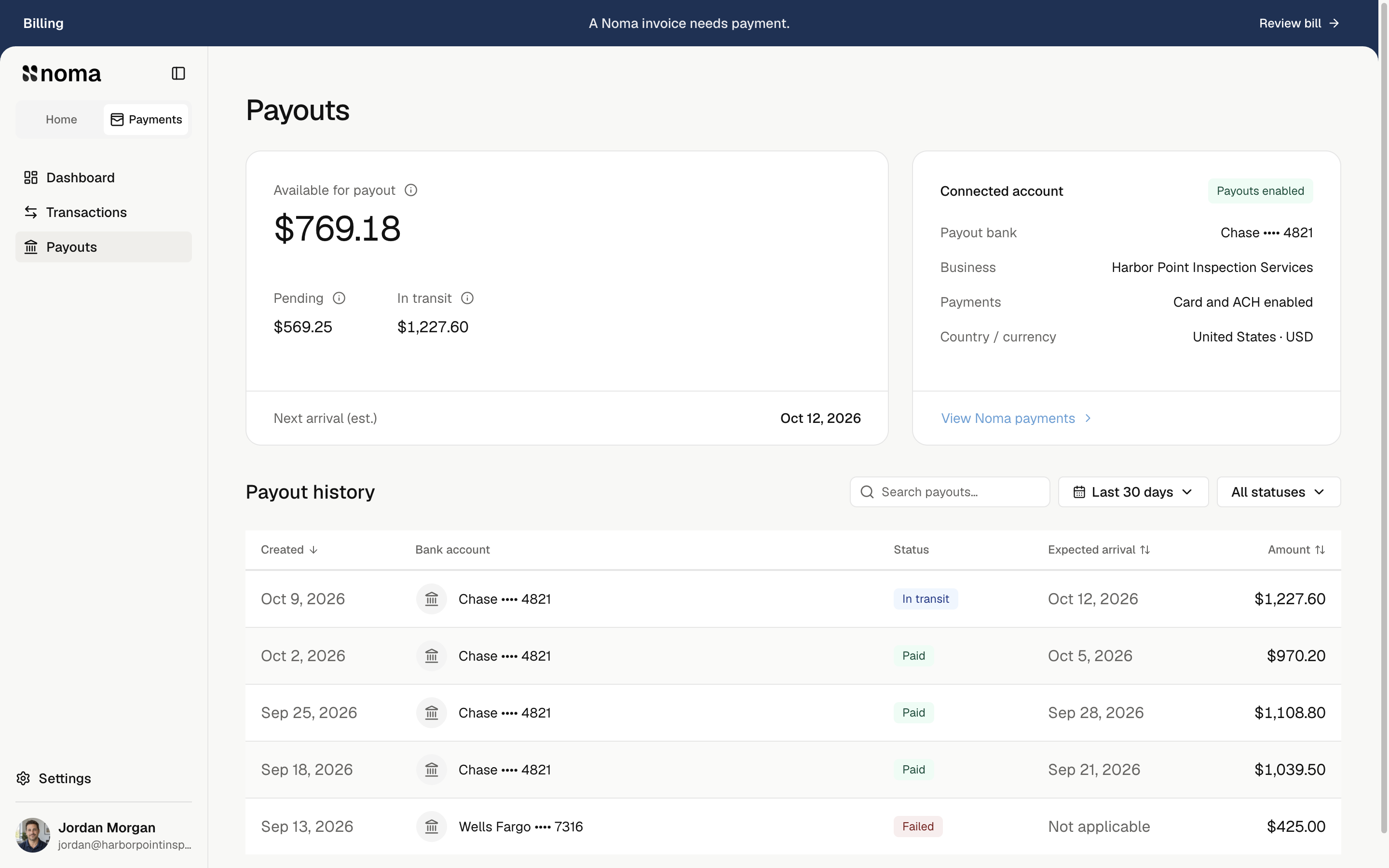
Read the balances
| Amount | Meaning |
|---|---|
| Available for payout | Money available to send, after any estimated bank transfer fee. |
| Pending | Money not yet available, after any estimated bank transfer fee. |
| In transit | Money already sent toward your bank. |
| Next arrival (est.) | The earliest known arrival estimate for an open payout. |
Balances stay company-wide when filters change. Bank arrival can be later than the send day; use the estimate shown.
Review a transfer
Filter history by date or status, or search by bank or payout ID. Select a row for Payout details.
Check the amount sent, saved bank destination, created and arrival dates, and fee breakdown when available. Copy Payout ID for support. Use the arrows or Up/Down to move between transfers.
| Status | Meaning |
|---|---|
| Pending | The transfer has not started yet. |
| In transit | The transfer is on its way. |
| Paid | The provider reports the payout paid. |
| Failed | The transfer failed. Check the reason and contact support. |
| Canceled | The transfer was canceled. |
Older payouts may have no saved fee breakdown. A replacement can show no additional bank transfer fee.
Change your bank
Open Settings → Noma payments → Manage payments → Change bank details. Save in Stripe's form, close it, and check the updated bank in Noma.
Payout schedule shows when available funds are sent. New payment accounts use a weekly Friday schedule. Earlier accounts keep their current schedule. Daily payouts run on business days. Bank arrival may be later, especially for a first payout. Already-created payouts keep their saved destination.
To request a different schedule, contact support.
For Not scheduled or Payouts paused, review required account details and any failed transfer, then contact support.
For tax documents or a previous account, manage payment accounts.