
Review transactions
Find invoices, review payments, and export records.
Open Payments → Transactions. Admin or Billing manager access is required.
Each row is one invoice. It shows the customer, property, saved inspectors, status, payment method, and full invoice amount.
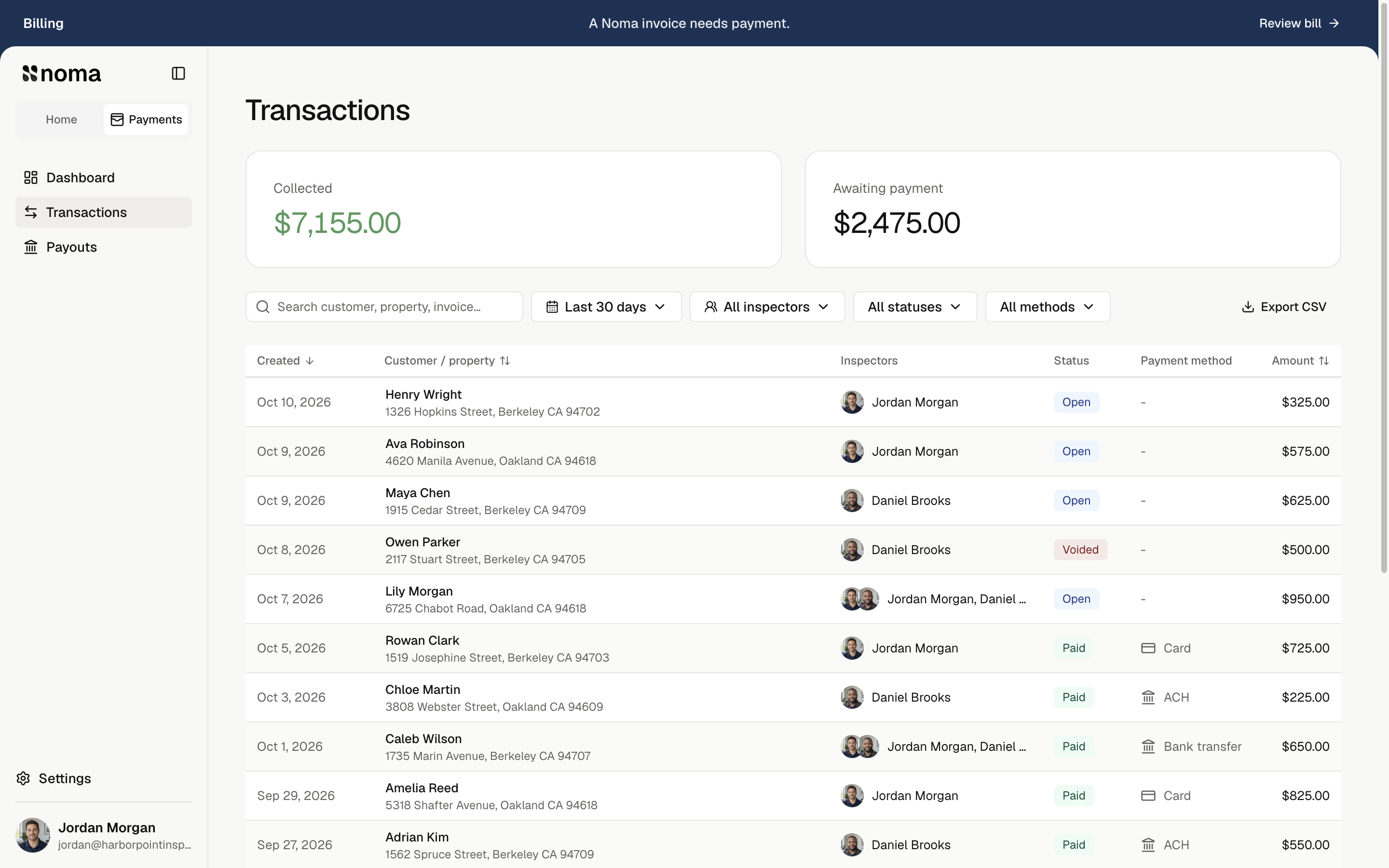
Find and export
Choose dates and inspectors. Search by customer, property, invoice number, or item name. Use status and payment-method filters, or sort by created date, customer, or amount. Choose 20, 50, or 100 rows per page.
Select Export CSV for all matching rows, including other pages.
Collected follows dates and inspector shares. Search, status, and method filters only change rows. Awaiting payment remains company-wide.
An inspector-filtered row shows the full invoice amount; revenue charts show that inspector's share.
Open the details
Select a row to review items, payments, balance, saved inspectors, visit dates, and email history.
| Select | To |
|---|---|
| Invoice issued | Open the invoice. |
| An email event | Read its message. |
| Arrows or Up/Down keys | Move between records. |
- Net received: online payment proceeds after company fees. Outside payments show the recorded amount received.
- Internal note: saves automatically, stays private to your team, and allows up to 2,000 characters. If saving fails, keep the text and select Retry.
Each partial payment has its own entry. Voided outside payments stay in history but no longer reduce the balance. Correct an outside payment from the invoice.
Payment states
Invoice status
| State | Meaning |
|---|---|
| Open | The invoice still needs payment, including after a partial payment. |
| Paid | The invoice is settled. |
| Voided | The invoice no longer collects money. |
Bank payment states
| State | Meaning |
|---|---|
| Processing | A bank payment is being confirmed; the invoice remains open. |
| Payment failed | The bank payment failed and payment is still needed. |
| Payment reversed | A completed bank payment was reversed; payment is needed again. |
These bank states also affect payment-locked report access.
For a disputed online payment, open dispute tools. A payment issue is separate from a failed invoice email; use Job emails for delivery problems.