
Set up payments
Set up client payments, your subscription, and accepted payment methods.
An Admin or Billing manager opens Settings → Noma payments and selects Set up payments.
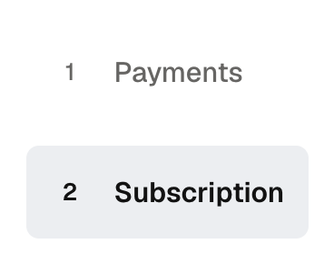
Setup has two steps: Payments collects client invoice payments; Subscription pays for Noma.
Connect client payments
- Review the terms shown. If the introduction appears, select Start setup.
- In Payments, review your business details, fill in the required fields, and add your payout bank.
- Submit the Stripe form. Noma opens Subscription, or returns to payment settings if your subscription is already active.
Stripe may still be reviewing your details. Check Bank (ACH) payments, Card payments, and Payouts in Noma payments before collecting money.
Set up the subscription
- Select Subscription. You can open this step while Stripe reviews your payment account.
- Choose Monthly or Annual, review your company's terms, and select Continue.
- Complete the billing form with a card or bank account. Wait for Noma to confirm the result.
If bank verification is needed, finish that check. An unfinished form does not confirm an active subscription. Manage your subscription after setup.
Resume setup
Back to Noma returns to Settings → Noma payments. Your saved setup can be resumed.
| Shown action | Use it to |
|---|---|
| Continue setup | Finish missing payment-account details. |
| Review payment setup | Check details already submitted to Stripe. |
| Review payment details | Reopen the payment form from setup. |
| Continue to subscription | Move to subscription setup. |
You can choose Subscription without finishing Payments. A subscription alone does not enable client payments.
Accept bank payments
Select Set up bank payments or Continue setup. When ready, turn on Accept bank (ACH) payments. The switch saves automatically.
In review means bank setup is still being checked. Turning the switch off stops new ACH checkouts; saved payment history stays.
Choose who pays the fees, then send a client invoice.
To change your bank, view tax documents, or disconnect, manage your payment account.