
Record an outside payment
Record full or partial payments received outside Noma, or correct a saved payment.
Open the payment form
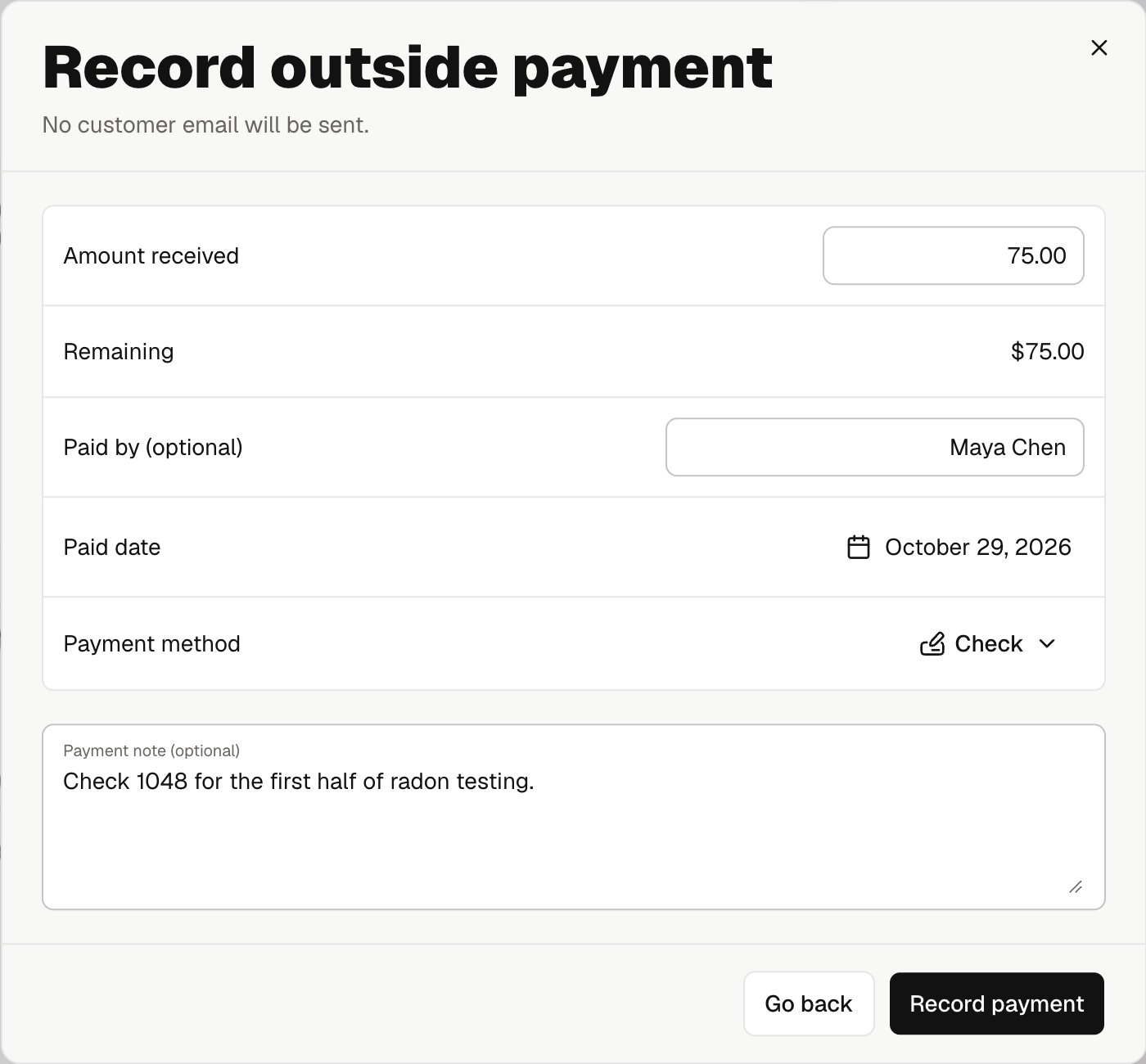
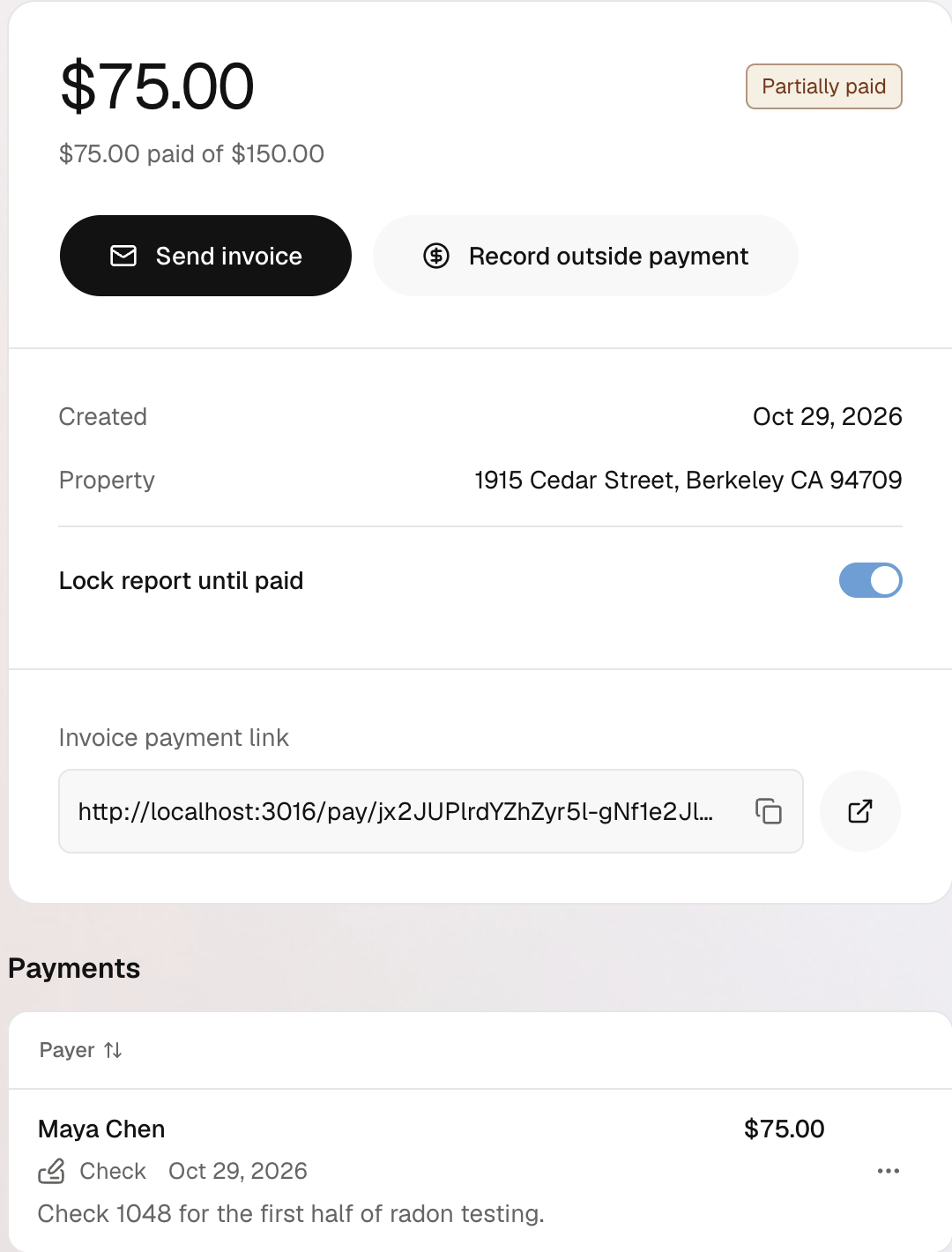
Open the job, select its payment badge, and open the invoice. Open the top actions menu and select Record payment.
Enter the payment
| Field | What to enter |
|---|---|
| Amount received | Enter the amount received, up to the unpaid balance. For a partial payment, review Remaining. |
| Paid by (optional) | Starts with the invoice customer's name. Change or clear it if someone else paid. This does not change Contacts. |
| Paid date | When you received the money. Past dates are allowed; future dates are not. |
| Payment method | Credit card, Check, Zelle, Cash, Bank transfer, Venmo, or Other. |
| Payment note | Useful team context. Required when you choose Other. |
Select Record payment. A partial payment lowers the balance; the invoice stays Open, with Partially paid on the web detail. Record further payments as they arrive. The invoice becomes Paid when its full balance is covered.
No client email is sent. This records money already received; it does not charge a card or send money to your bank.
Outside payments appear in revenue but not Noma's payout balance. Online payment fees are not added.
Correct an outside payment
- Open the invoice's Payments list.
- Open the saved payment's actions menu → Void payment.
- Check the amount and confirm Void payment.
- Record the correct payment if needed.
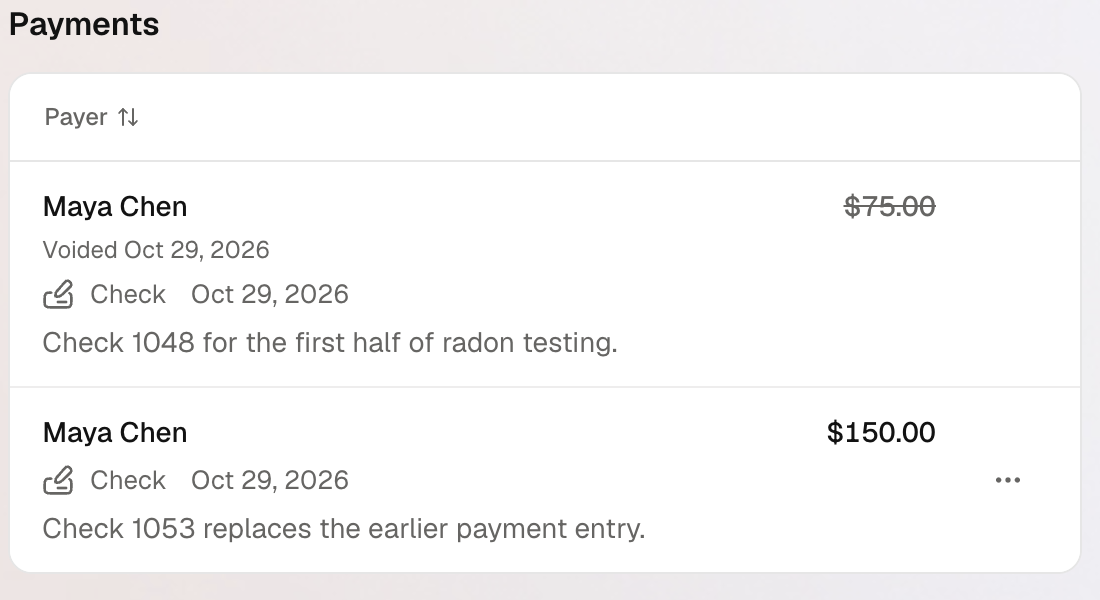
The old payment stays in history with its amount crossed out. Its credit is removed from the invoice, so the balance may reopen. This does not return money to the client or change an online payment.
When the action is unavailable
Paid and voided invoices cannot accept another outside payment. A processing online payment blocks recording or voiding outside payments until it finishes. Only a successful outside payment can be voided.
If saving is uncertain, retry the same payment before recording another. On the web, select Retry payment. On mobile, use Check payment, then Check and retry. You need an internet connection to record or void a payment.