
Manage client invoices
Bill clients, send requests, and record payments.
Every active member can manage routine client invoices.
Open invoices
Open Jobs, select the job, then open Billing.
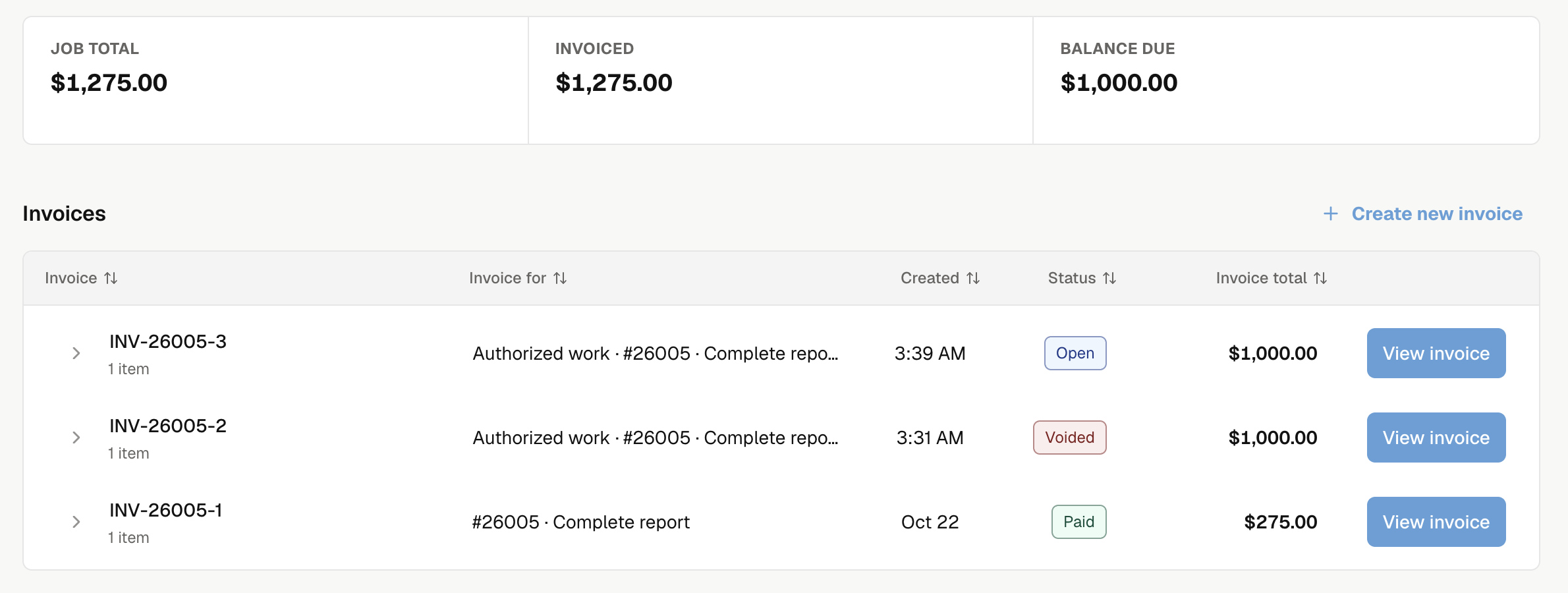
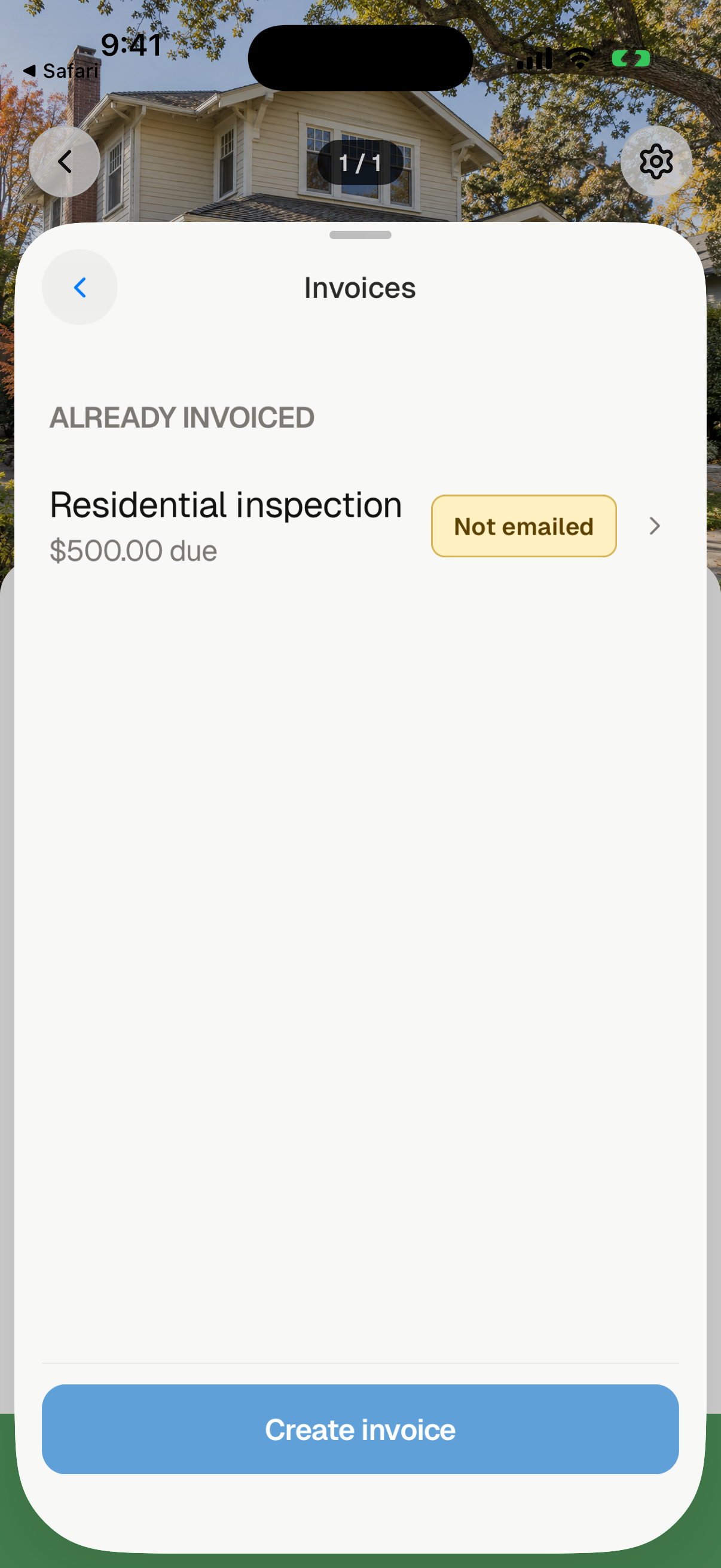
Open the job and select its payment badge to open Invoices. Select an invoice to see its balance and payments, or Create invoice to bill the inspection.
Read the balances
| Total | Meaning |
|---|---|
| Job total | Known charges, including items still waiting to be invoiced. |
| Invoiced | Saved invoice charges, excluding voided invoices. |
| Balance due | Money still owed on saved invoices. |
Missing prices appear separately; they do not mean a free service. A partial payment lowers Balance due. The invoice stays Open until fully paid; the web invoice detail shows Partially paid.
On the web, open an invoice to review its paper preview, remaining balance, and Payments. Invoice actions holds Print invoice, Replace invoice, and Void invoice when allowed.
An invoice's Internal note saves automatically and stays private. The payer memo appears on the client invoice and printout.
Create an invoice
Send an invoice
Record an outside payment
Replace an invoice
Void an invoice
How clients pay
Lock reports until paid
Read mobile payment badges
The Home list and job detail show the visit's payment state. In job detail, select the badge to open its invoices. See what each badge means.
These badges describe payments, not email delivery. An invoice can be Open before it is emailed. Check Sending email, Email failed, or the message in Job emails for delivery. Review payment states for more detail.
Payment setup
You can create, send, and record outside payments before online payment setup. Set up Noma payments to let clients pay online.
For signed termite work, bill the authorization. For bills from Noma, open Noma billing.