
How clients pay
Follow the client's invoice and payment flow.
Review the invoice
The client opens their personal invoice link and checks the invoice's customer, company, items, total, and payer memo. Beside the payment choices, they can expand Total to see the items, any Already paid amount, and Processing fee.
After a partial payment is recorded, the same link collects the remaining balance. Internal notes and the team's payment history stay private.
Choose a payment method
The client chooses Card or Bank account (ACH) when available, then selects Continue to secure checkout.
The lowest total is selected first. Each choice shows any processing fee. When ACH costs less than card, its saving appears beside the choice. With only one method, the client can continue straight to checkout.
| Method | What happens |
|---|---|
| Card | Confirmation is usually immediate. Check the saved result. |
| Bank account (ACH) | Can take several business days. The invoice shows processing until confirmation. |
If online payment is unavailable, the client uses Contact us to arrange payment.
Check the result
After payment, the client returns to the invoice. If confirmation is uncertain, they select Check status. Another checkout cannot start while payment is processing.
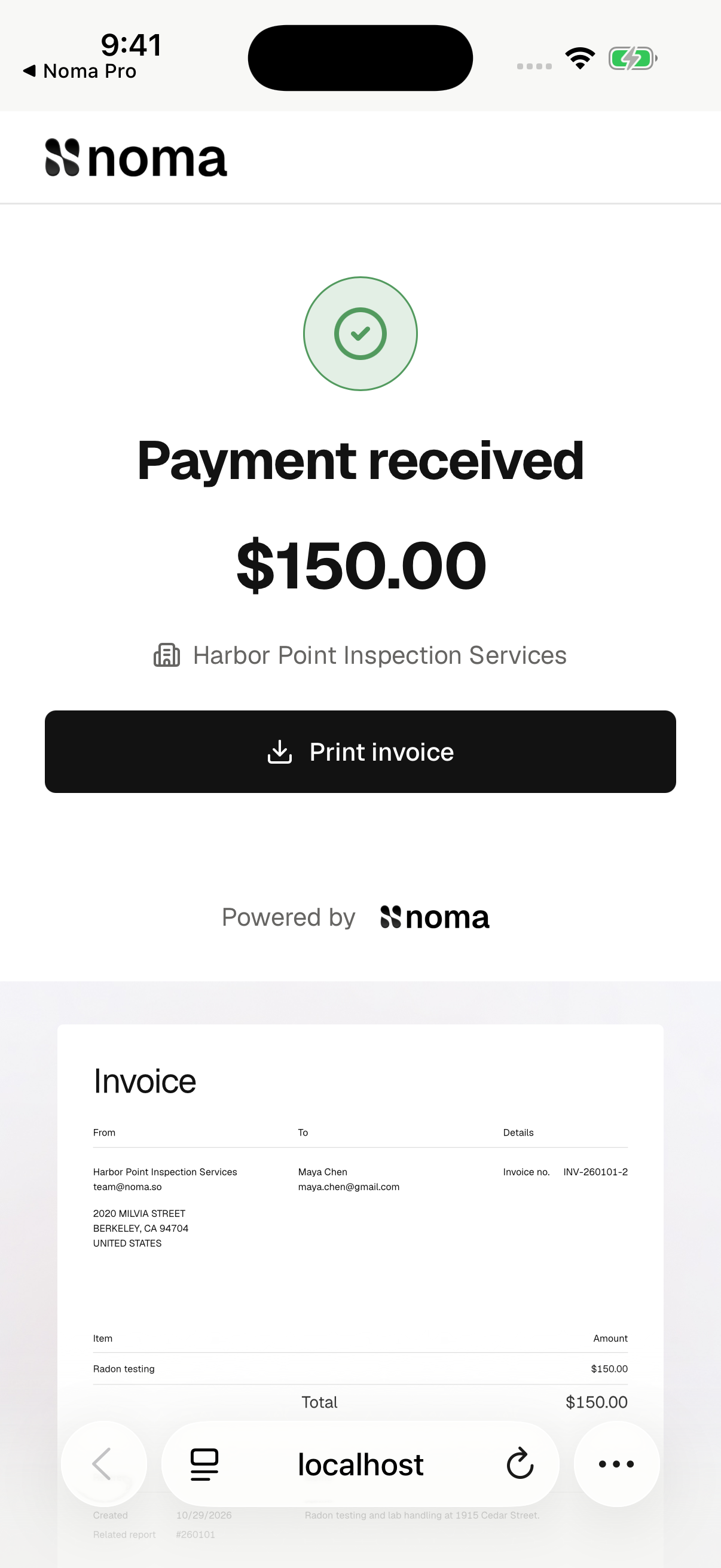

A paid invoice offers Print invoice. The printout uses the saved invoice, including its items, total, and payer memo. The payment page shows the payment result and any processing fee separately. View report appears when the report is available. Payment does not bypass other report access rules.
Clients contact your company about refunds or corrections. Cancelling a booking does not promise a refund.