
Replace an invoice
Correct an unpaid invoice's amounts, customer, or payer memo.
Open Jobs, select the job, open Billing, then select the invoice.
Replace the invoice
- Open Invoice actions → Replace invoice.
- Change amounts, custom line items, Customer, or Payer memo (optional). Linked inspection or signed-work items keep their names.
- Select Next. In Review replacement, check To, Cc, Subject, the report lock, and the internal note.
- Select Replace only to save without email, or Replace & send email.
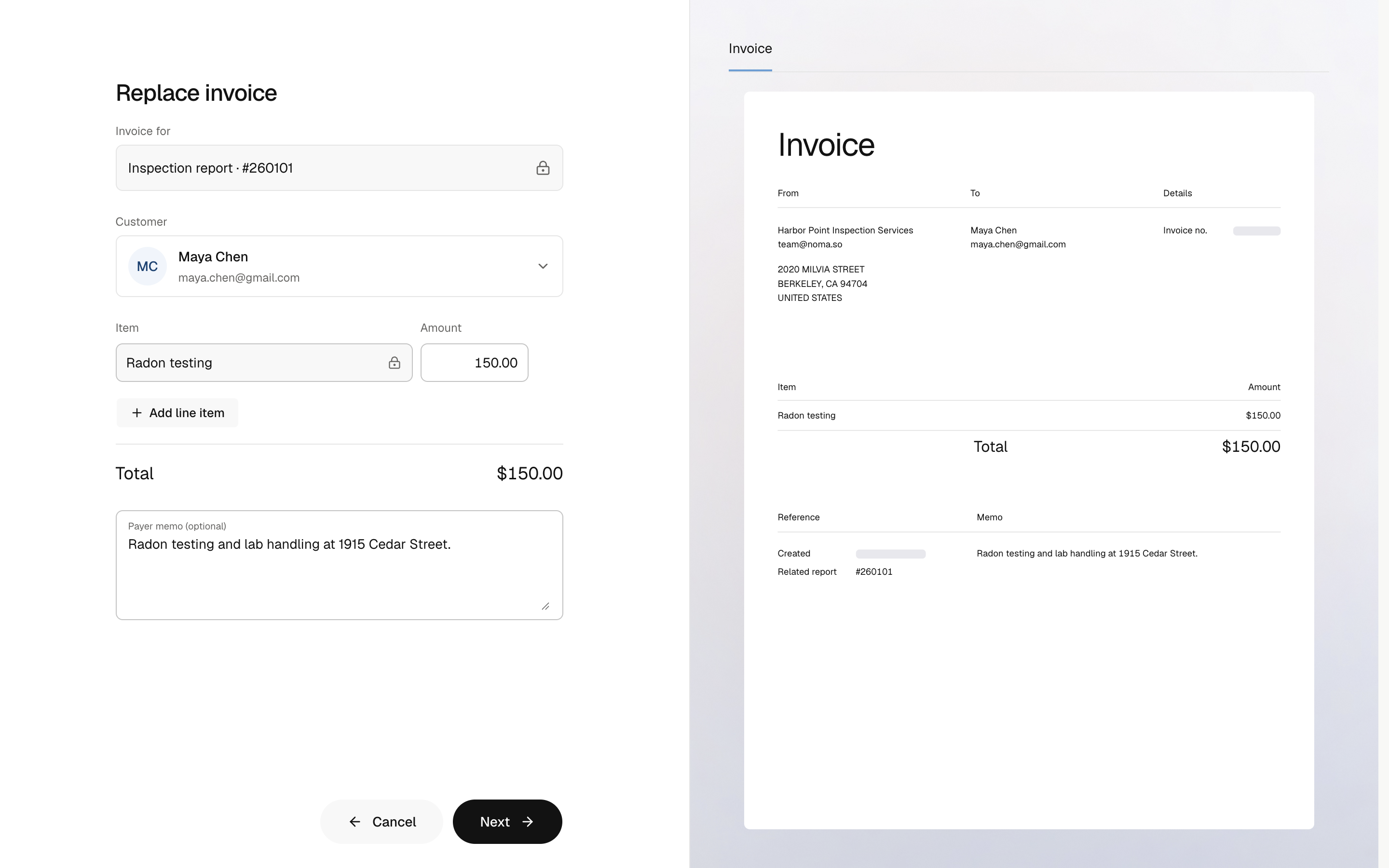
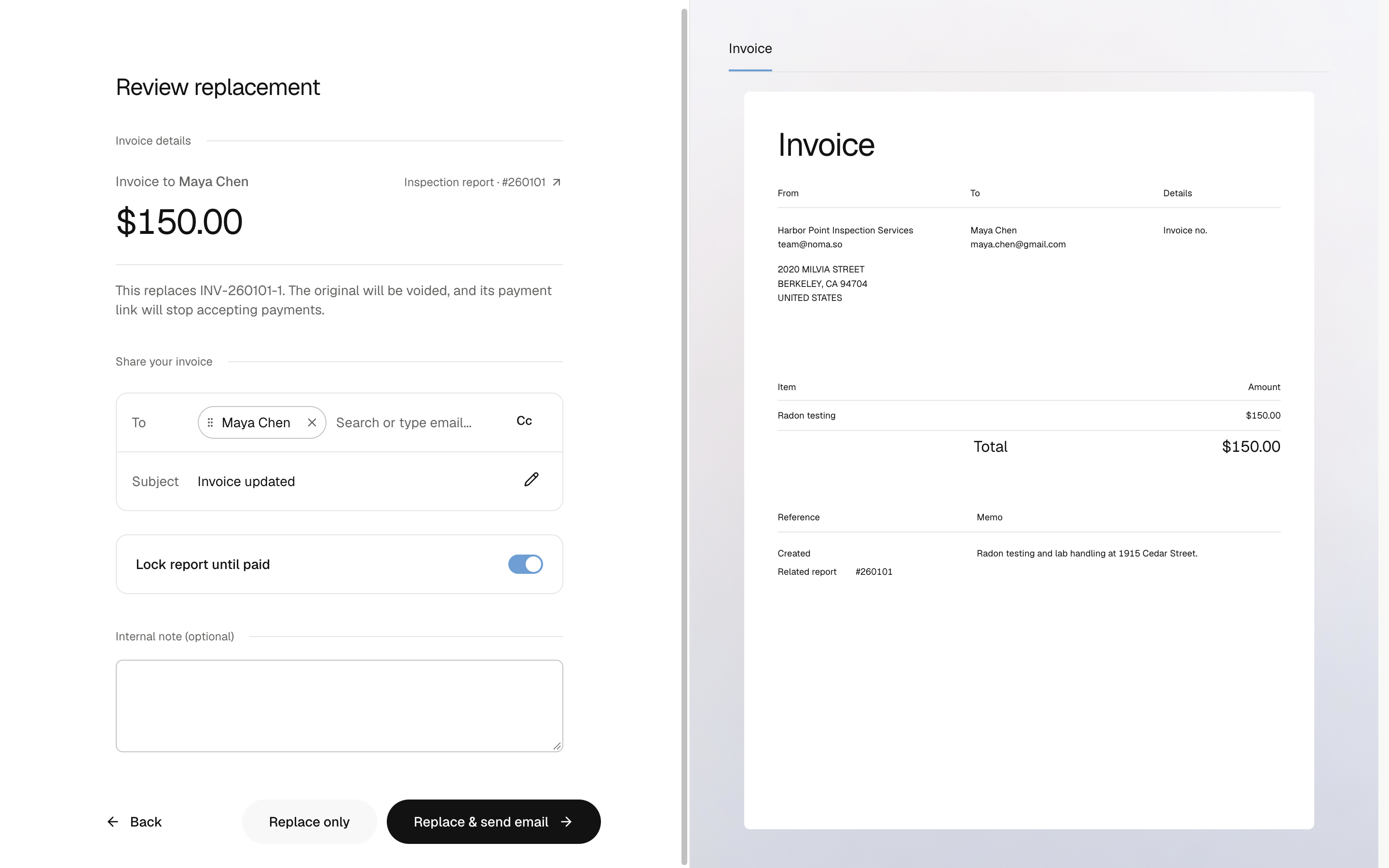
The original becomes Voided. The replacement has a new invoice number and payment link. Share the new link; the old link stays on the voided invoice.
When the customer and email stay the same, the email starts with the original invoice's last email recipients. A changed customer starts a new audience. Review To and Cc before sending. Noma sends one updated-invoice email, without a separate cancellation email.
| Keeps the original | Can change |
|---|---|
| Visit or signed authorization, linked items, service address, schedule, inspectors, company details, and payment rates | Amounts, custom line items, Customer, payer memo, internal note, and email recipients |
Newly booked items are not added to a replacement. Create another invoice for those items.
When replacement is unavailable
Only open, unpaid invoices can be replaced. Paid invoices, received payments, processing payments, and archived jobs prevent replacement.
If the save is not confirmed, select Retry save to check the same save before starting another.
Invoice replacement is available on the web.
To stop collecting without a new invoice, void the invoice.