
Cancel or archive
Stop one visit or close the whole job while keeping its history.
| Action | Effect |
|---|---|
| Cancel on a visit | Stops that inspection or cancels its issued report. Your work stays saved. |
| Cancel and archive job | Stops the remaining job work and keeps the job as read-only history. Cannot be undone. |
For a different date, reschedule the visit.
Cancel a visit
Open Jobs, select the job, then find the visit under Reports. Open its menu → Cancel.
When Send cancellation emails is on, expand each email group to review To, Cc, and Subject. These headers cannot be edited.
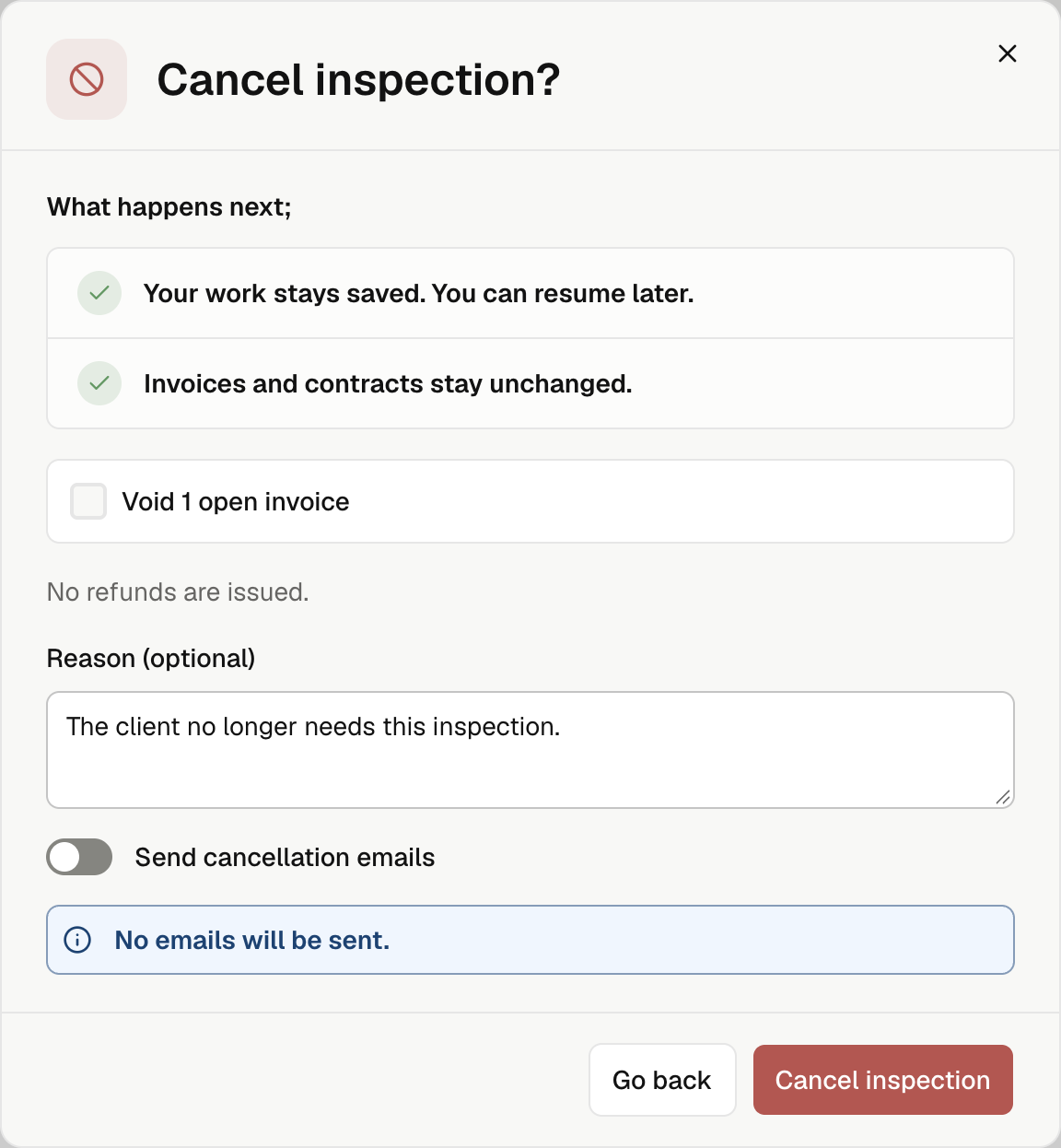
Open the visit → Settings → Cancel. If the header shows More options, select Settings there first. Cancellation needs an internet connection.
- Check the effect shown in the confirmation. An issued report uses Cancel report and keeps its link marked as canceled.
- Choose whether to void eligible open invoices or contracts. Leave them unchecked to keep them, unless the confirmation says a booking contract will be voided automatically.
- Add a reason if needed. A report's cancellation reason appears on its public page even when emails are off.
- Review Send cancellation emails, then select Cancel inspection or Cancel report.
No refunds are issued. Cancellation can leave an unpaid balance when its invoice stays open.
If document cleanup is still running, wait before making another change. If the result is unclear, retry from the same screen.
Resume saved work
For an unissued canceled visit, use Resume inspection. In the app, the bottom button may show Continue report when fieldwork had finished.
A canceled issued report stays in history. Use the available Edit report or Continue editing action to prepare the next version.
Archive the whole job
In the web dashboard, open the job → More job actions → Cancel and archive job.
Review the affected visits, reports, documents, invoices, and pending emails. The confirmation lists only what this job will change.
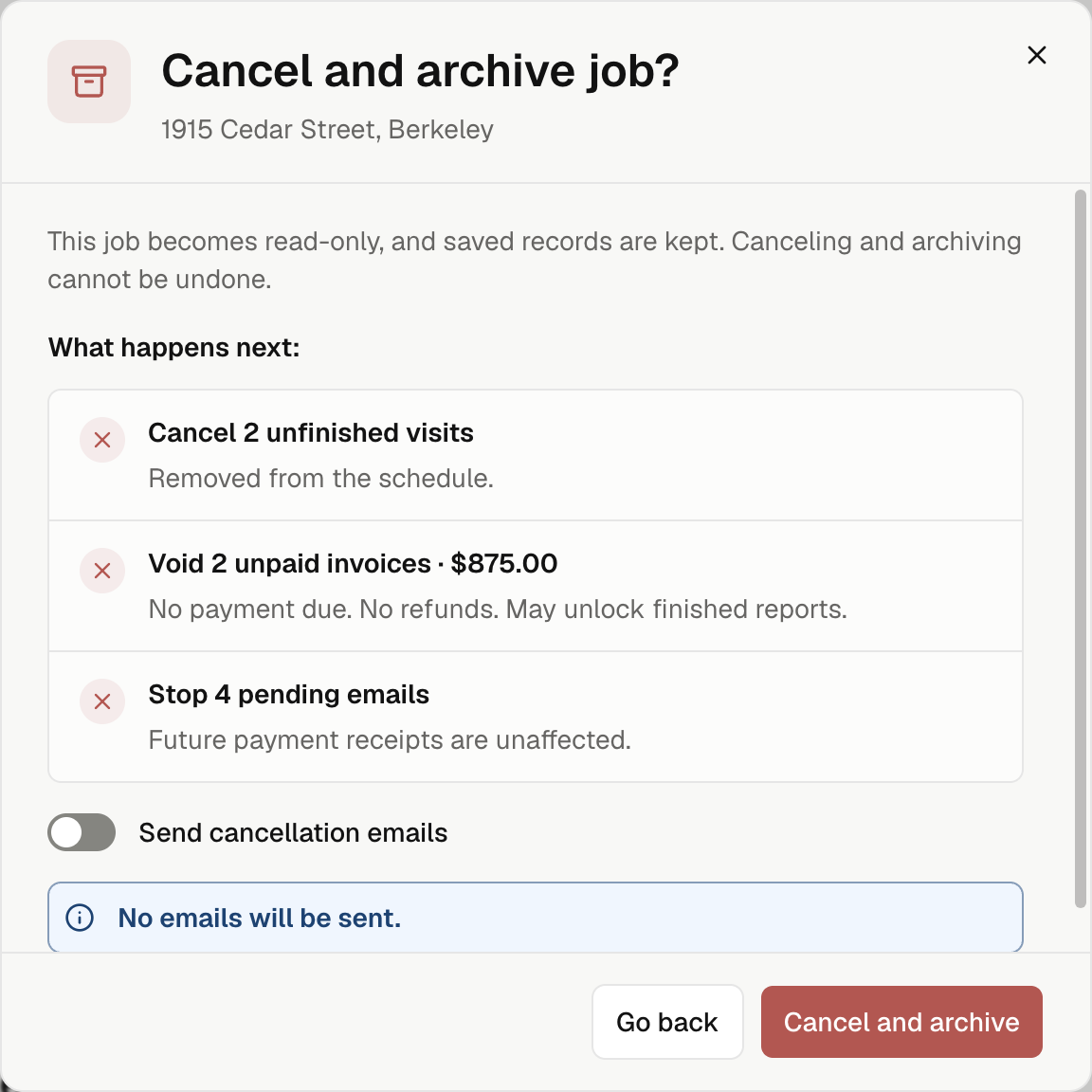
Review Send cancellation emails and its message groups. Select Cancel and archive, or Cancel, archive & notify when notices are on.
- Saved records remain. Unfinished visits leave the schedule.
- Eligible unpaid invoices are voided. This can remove a payment lock from a finished report; no refunds are issued.
- Processing payments or payment credit can block archiving. Open View billing to resolve them.
- If an inspector is working, check for unsent phone changes before archiving.
The job becomes read-only while archiving finishes. You can leave the page. Once archived, it cannot receive new visits or resume work.