Inbox notifications
Work authorization notifications
Review returned or declined termite work authorizations.
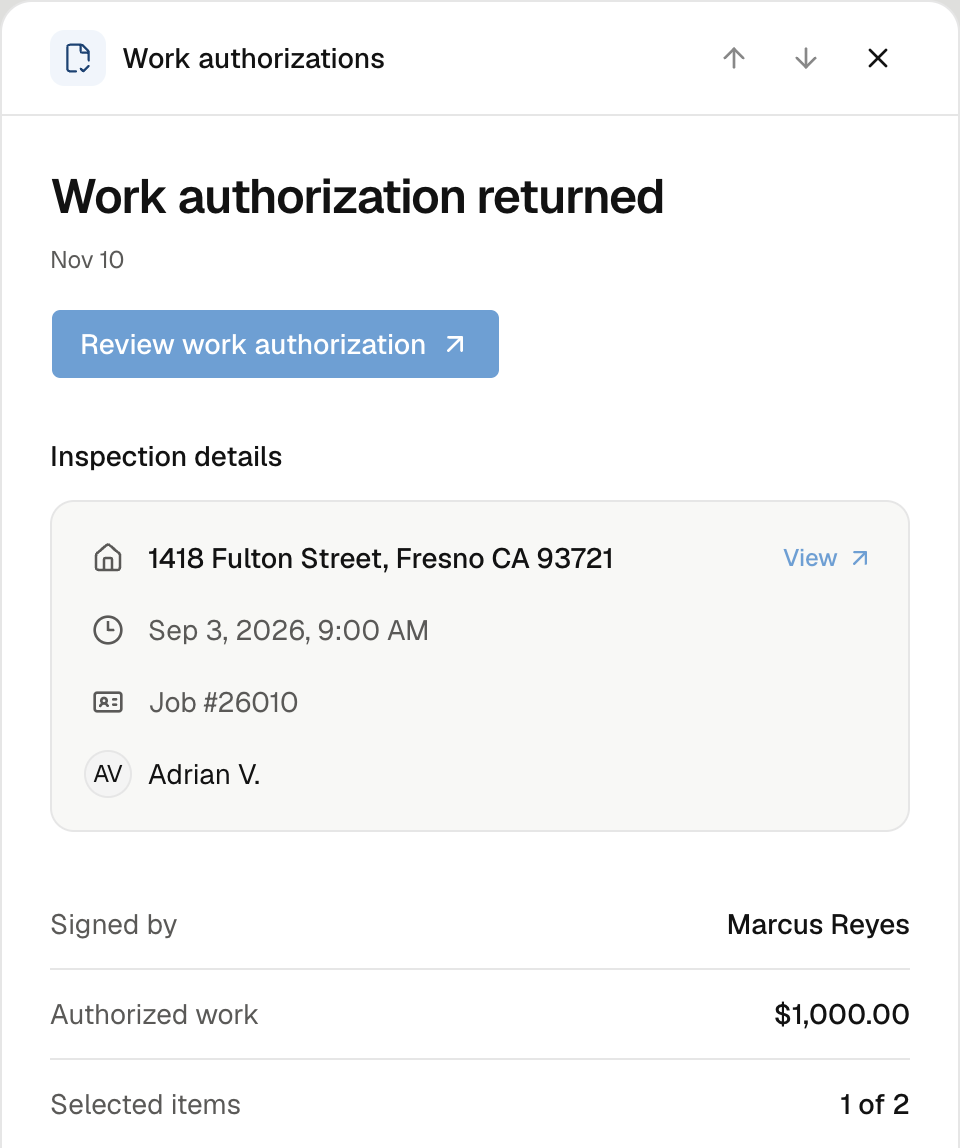
Open Inbox and select Work authorizations. Each alert also has details about the job.
This tab shows only for companies that offer termite inspections.
Notification examples
| Notice | Fields shown when saved |
|---|---|
| Work authorization returned | Signed by, Authorized work, Selected items. |
| Work authorization declined | Declined by, Proposed work, Selected items. |
| Work total shows | Means |
|---|---|
| An amount | The exact total. |
| A price range | The low and high totals. |
| Not priced | The work has no known price. |
| Not fully priced | Some items have no price. |
Selected items shows the selected count out of the saved total, or just the count for older records.
Review the result
Open the saved response
| Notice | Select |
|---|---|
| Work authorization returned | Review work authorization. |
| Work authorization declined | View work authorization. |
The action opens the work authorization for that saved response.
Check the billing result
An approval can also add a Billing alert. It says if Noma created an invoice or you need to review billing.
A new approval can replace an earlier one. It never changes an existing invoice. See Review a changed approval.
Choose response emails
Use Other team emails to set who gets a copy of each response.