
Add document details
Fill names, visit details, and prices without retyping them on the PDF.
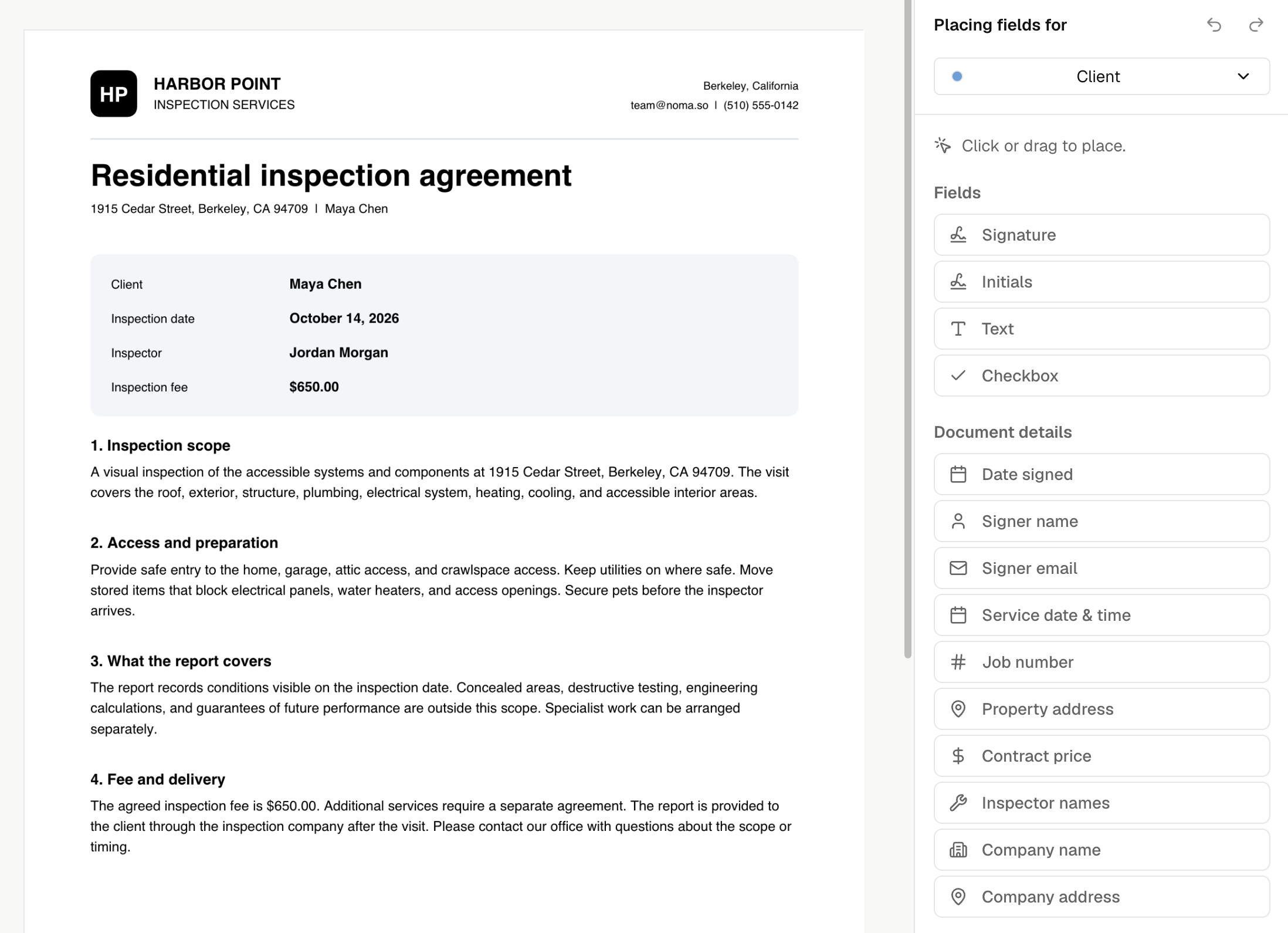
Place a detail field
In Add fields, choose a field under Document details and place it on the page.
| Field | Value |
|---|---|
| Signer name, Signer email | The assigned signer's name or email. |
| Date signed | That signer's completion date. |
| Service date & time | The visit's date, time, and time zone. |
| Job number | The linked visit's number. Later visits have their own number. |
| Property address | The job's property address. |
| Contract price | The price text saved with this request. |
| Inspector names | The full names of all inspectors assigned to the visit. |
| Company name, Company address | Your company's details. |
Assign signer details and Date signed to the right Signer. Noma fills the signing date when that person completes the contract, using the property's time zone, then the company's, then UTC.
Review the values
For a job contract, Noma uses the linked job and visit. For a standalone request, enter missing details in Review & send. Only details placed on the document need values.
Contract price starts from the visit's inspection total. You can change it to text such as $650 plus tax or Included. It does not change invoices or payments.
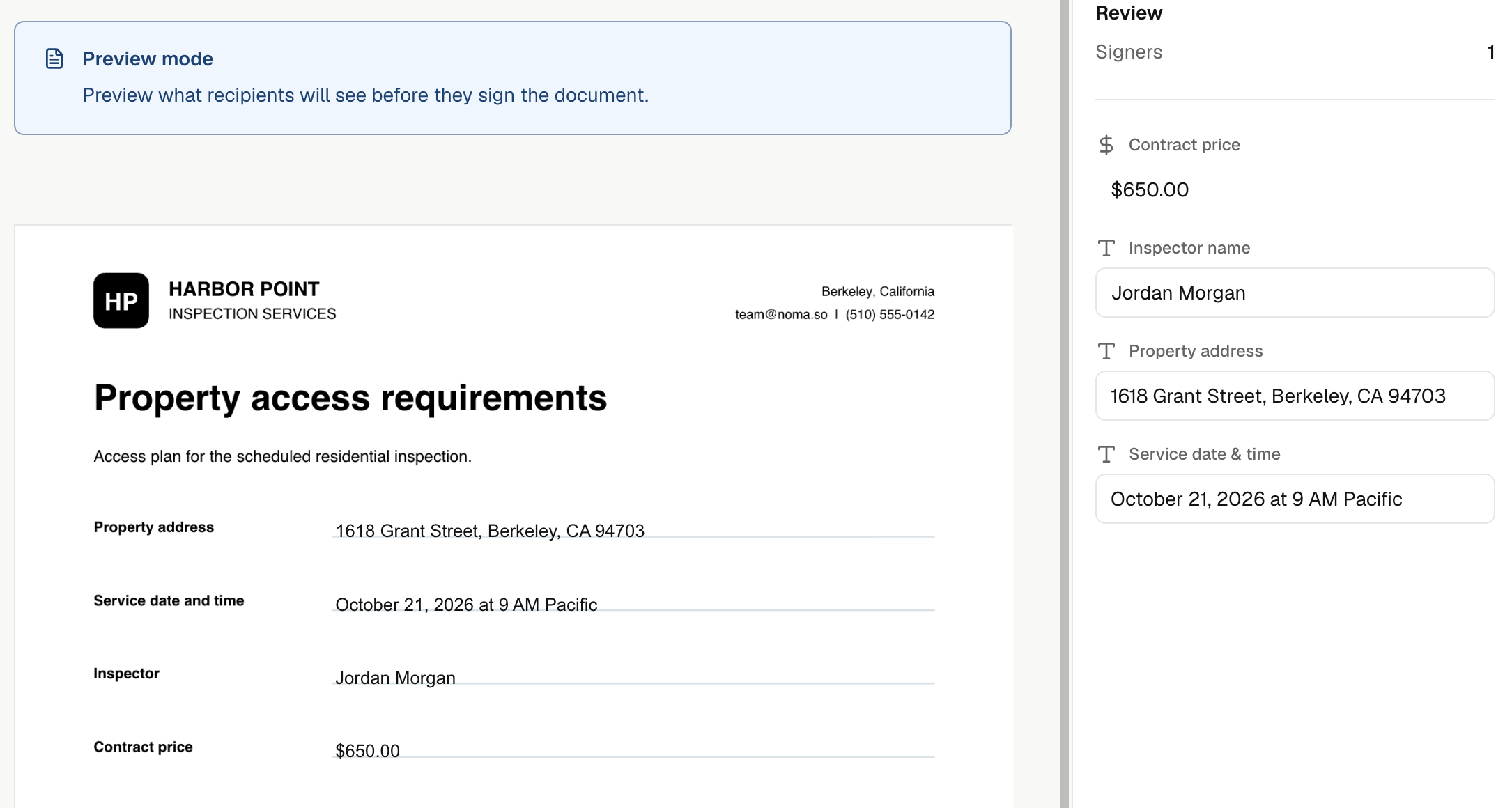
Preview template uses temporary example values. A request's Review & send shows its actual values. Unfilled details stay as labels; Date signed stays blank until signing.
Sending freezes the document values. Later changes to your company, job, prices, or reusable contract do not rewrite a sent request.