 Noma
NomaManage requests
Check signing progress, follow up, and download completed contracts.
Open a request
Open Signatures → Signature requests and select a request. Job requests also appear under the job's Contracts.
| Status | Meaning |
|---|---|
| Draft | Saved but not sent. Open it to continue. |
| Awaiting signatures | Sent or partly signed. Open the request to see who is next. |
| Completed | All signers finished. The signed PDF may still be preparing. |
| Delivery failed | An email could not be sent. Check the recipient and retry. |
| Declined | A signer declined. Open the request to read the reason. |
| Voided | Your team stopped the request. Signing links no longer work. |
Track events
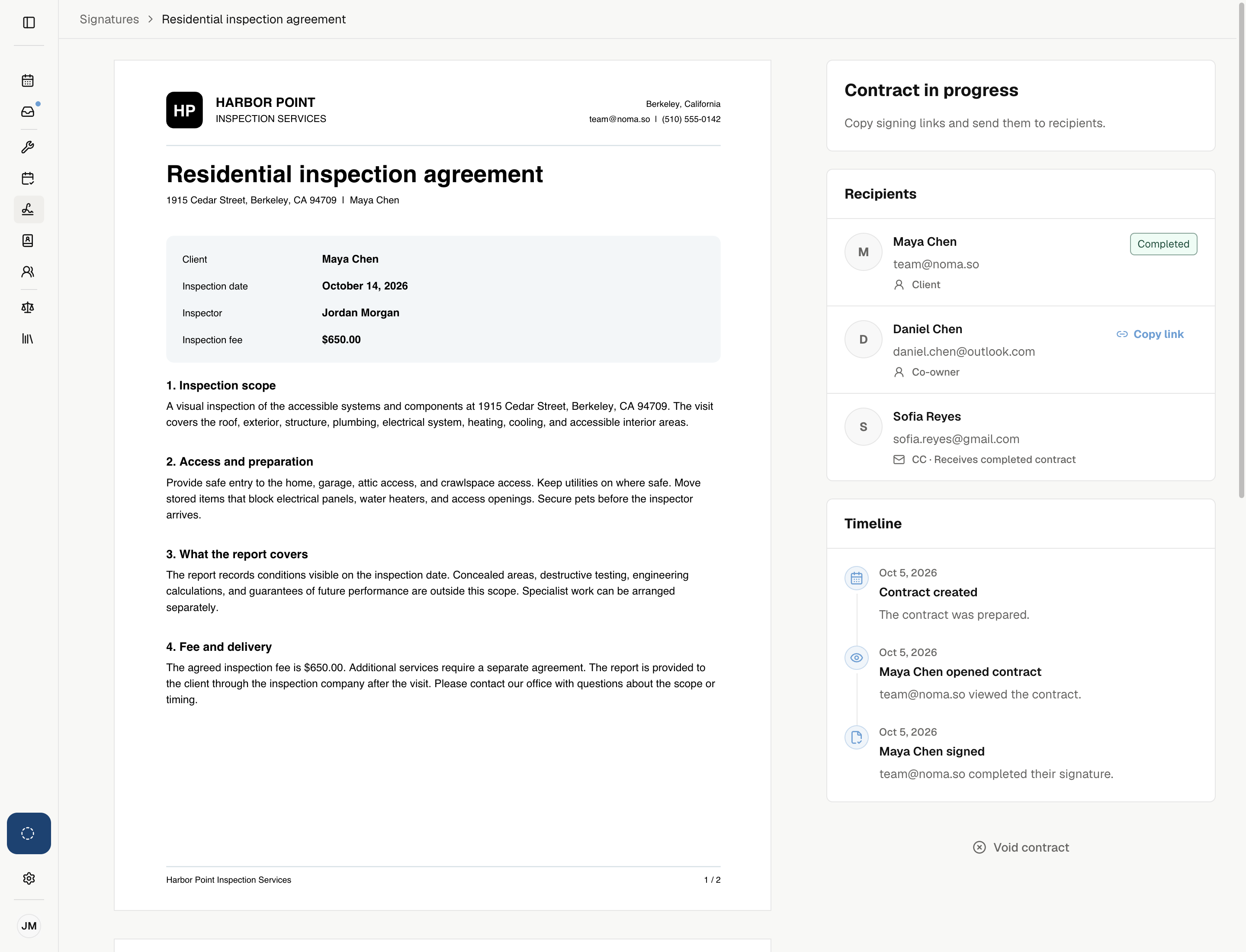
Check Timeline in the request details for dated events and the people involved.
| Event | What Noma records |
|---|---|
| Contract created | The request was prepared. |
| Signing email or reminder sent | An invitation or new signing link was sent. |
| Contract opened | Each signer's first view of the contract. Repeat views are not listed. |
| Signed or declined | The signer's action, including the reason for declining. |
| Completed or voided | Everyone finished signing, or your team stopped the request. Voids include the reason. |
| Notice sent or email failed | Completed copies, decline notices, void notices, and email failures. |
Sent does not mean the client opened the email. Opened contract tracks the signing page.
Send a reminder or retry an email
For an email request, select Remind beside an active signer, then Remind in the confirmation. The new signing link replaces the old one. Signers waiting for their turn cannot act yet.
If an email failed, use the available Resend or Retry email action. Check the address before retrying.
A completed contract can also show failed copy or sender emails. Retry those notices from their own recipient row.
Copy a manual signing link
For a request sent with None, open its details and copy the active signer's link. Share each link only with its named signer.
Ordered signers receive access in turn. Noma does not send reminders for manual delivery.
Download a completed contract
Open the completed request and select Download signed PDF. Preparing download means Noma is still building the signed file; wait, then reopen the request.
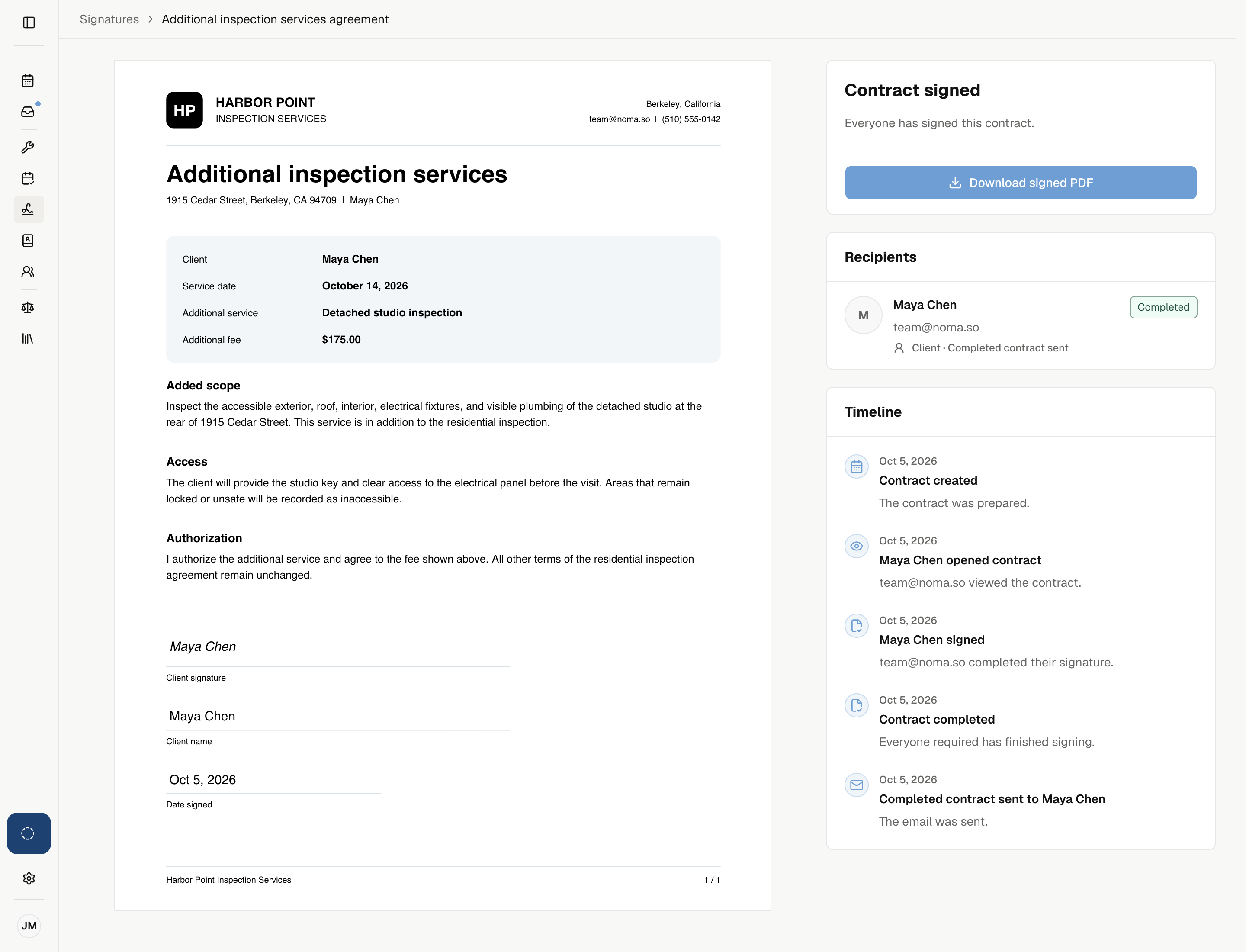
The signed copy includes the completed fields and signing record. Keep it with the job's records.