 Noma
NomaSend a job contract
Send a reusable contract for a visit and track it with the job.
Choose your inspector type
Send from an existing job
Your company needs signatures enabled and a saved reusable contract.
Open the job's contracts
Open Jobs, select the job, and open Contracts. Select Send new contract.
Choose the visit and contract
Select the Visit when the job has more than one eligible visit. Choose the reusable Contract.
Review the details
Check the signers and CC recipients. Fill any required sender fields.
When the contract uses Contract price, it starts from the visit's inspection charges and add-ons. Enter it if blank or change it as needed. This does not change billing.
Send the contract
Select Send contract. Job contracts use email and follow the saved signing order.
Open the request to check progress. If sending stops before completion, reopen the saved draft and finish it.
Property visits can use reusable contracts. You can also send during job creation, as shown below.
Send termite contracts from an existing job. Sending during job creation is available for property jobs.
Archived jobs and canceled visits cannot receive a new contract. A closed visit needs a finished report to remain eligible.
Send while creating a property job
In New job, choose the Booked by contact, then turn on Send contract now. Choose the reusable contract, review its recipients and sender values, and finish creating the job.
You can also send a contract when adding a property visit.
Keep a property report locked until signing is complete
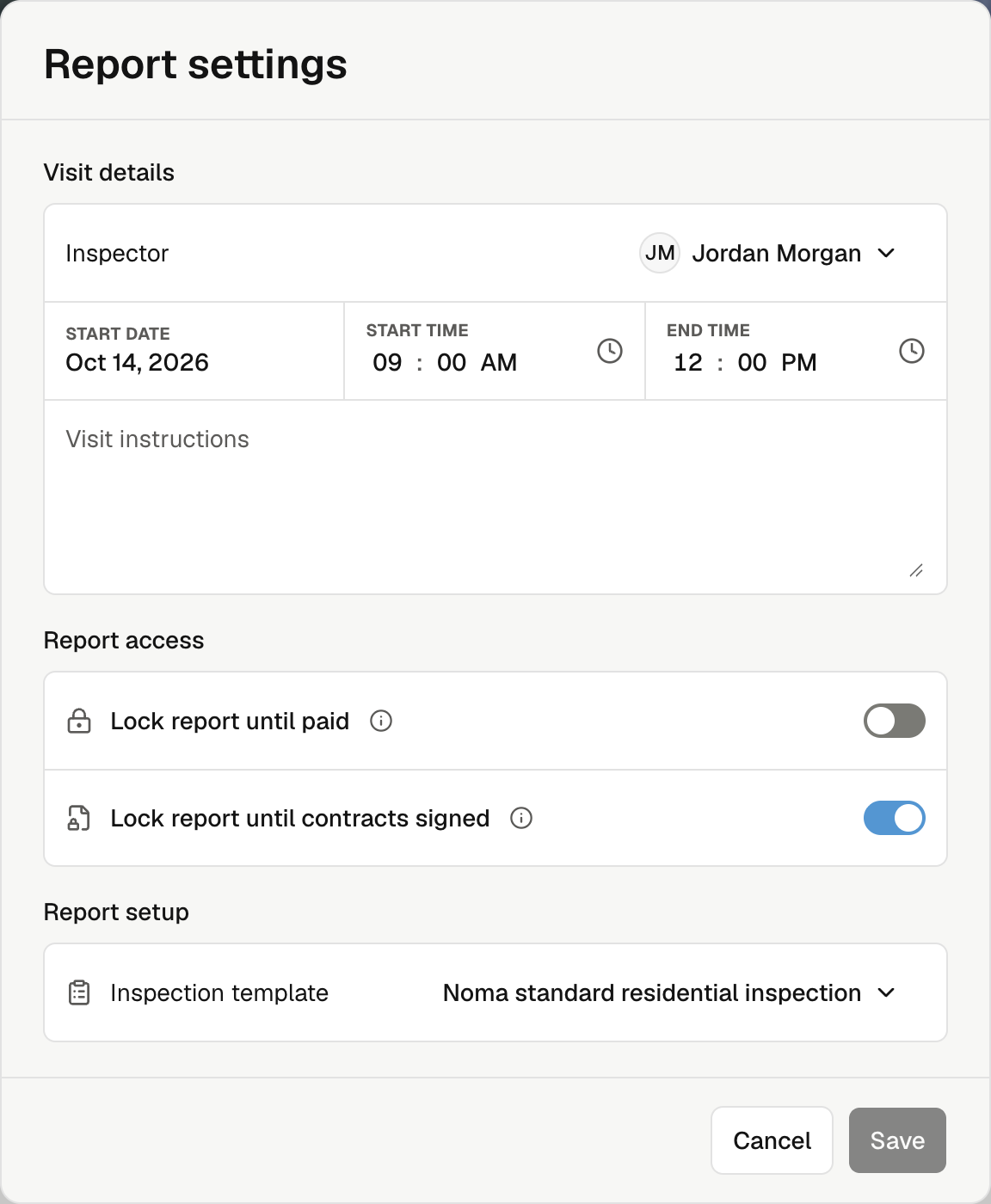
Open the visit's actions menu → Report settings. Turn on Lock report until contracts signed, then select Save. During job creation, this option appears with Send contract now.
Clients must finish the required contracts before opening the report. Turning the switch off removes this contract requirement. Payment and other report access rules still apply.
Public booking does not send contracts automatically. Send one from the job after booking.