Refund a payment
Send a client's online payment back and track the refund.
An Admin or Billing manager sends refunds on the web. The mobile app shows refund statuses but cannot send refunds.
| Refund rule | What to know |
|---|---|
| Amount | Each refund sends back one whole payment. You cannot refund part of a payment. |
| Payments you can refund | Card and bank (ACH) payments made through Noma payments. |
| Time limit | 180 days from the day you received the payment. |
| Where the money comes from | Your balance. |
For a payment recorded as paid outside Noma, void that payment instead.
Send a refund
Open the paid invoice
Open Jobs, select the job, open Billing, and select the paid invoice.
Start the refund
| Start from | Select |
|---|---|
| The invoice | Refund. |
| Invoice actions | Refund payment. |
| A payment's actions menu | Refund payment. |
Refund on the invoice picks the newest payment you can refund. To pick another one, use that payment's menu.
Check the details
| Shown | Meaning |
|---|---|
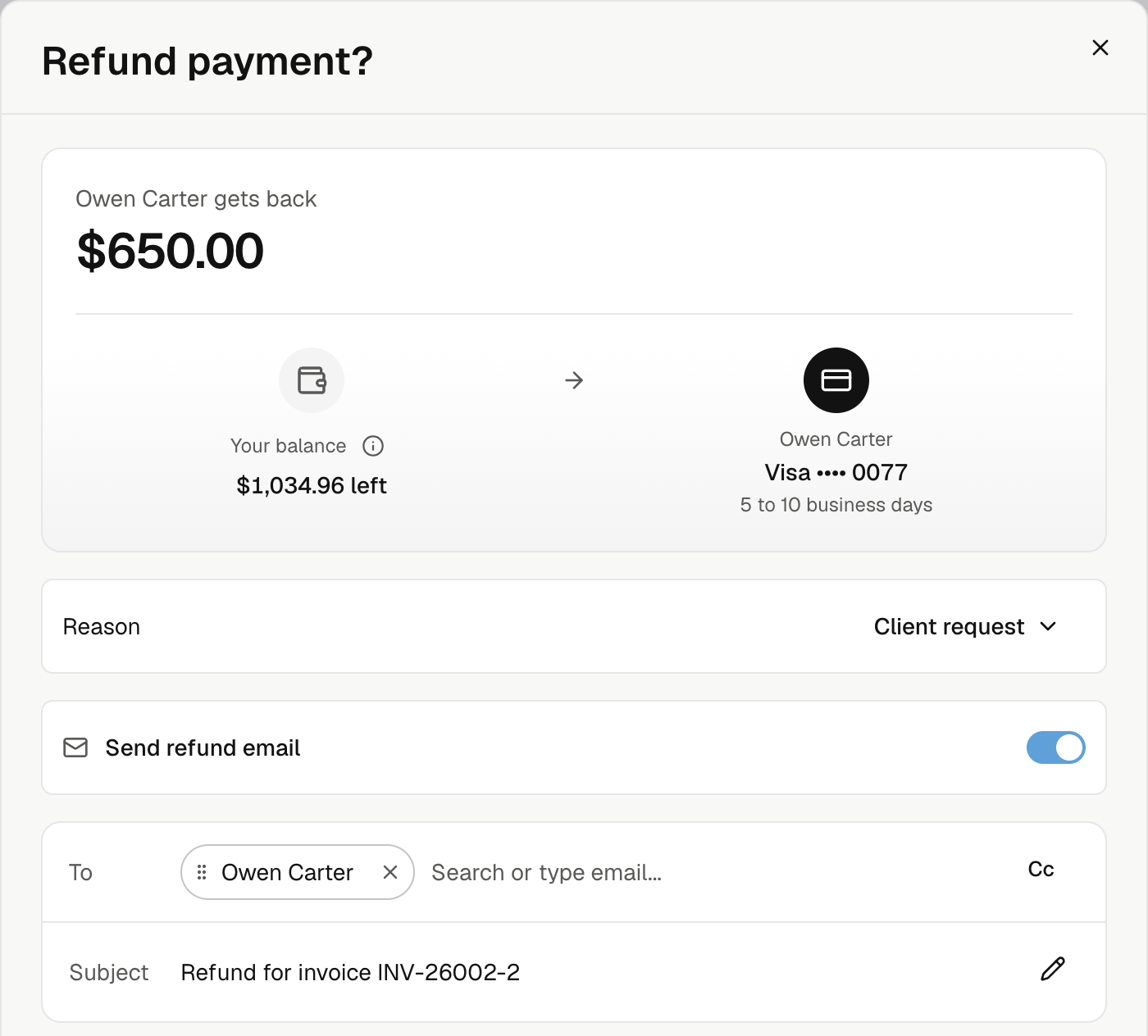
| Refund amount | What the client gets back. |
| Your balance | The money the refund comes out of. |
| The client's card or bank account | Where the money goes. |
| Arrival time | Cards take 5 to 10 business days. Bank (ACH) refunds take about 3 business days. |
Choose a reason and the email
Choose a reason: Client request, Duplicate payment, or Other.
Send refund email starts on. You can change To, Cc, and Subject.
| Send refund email | What happens |
|---|---|
| On | One email goes to those people when you send the refund. |
| Off | No refund email is sent. |
Send the refund
Select Refund with the amount, such as Refund $525.00. The invoice then shows a refund status.
Refund statuses
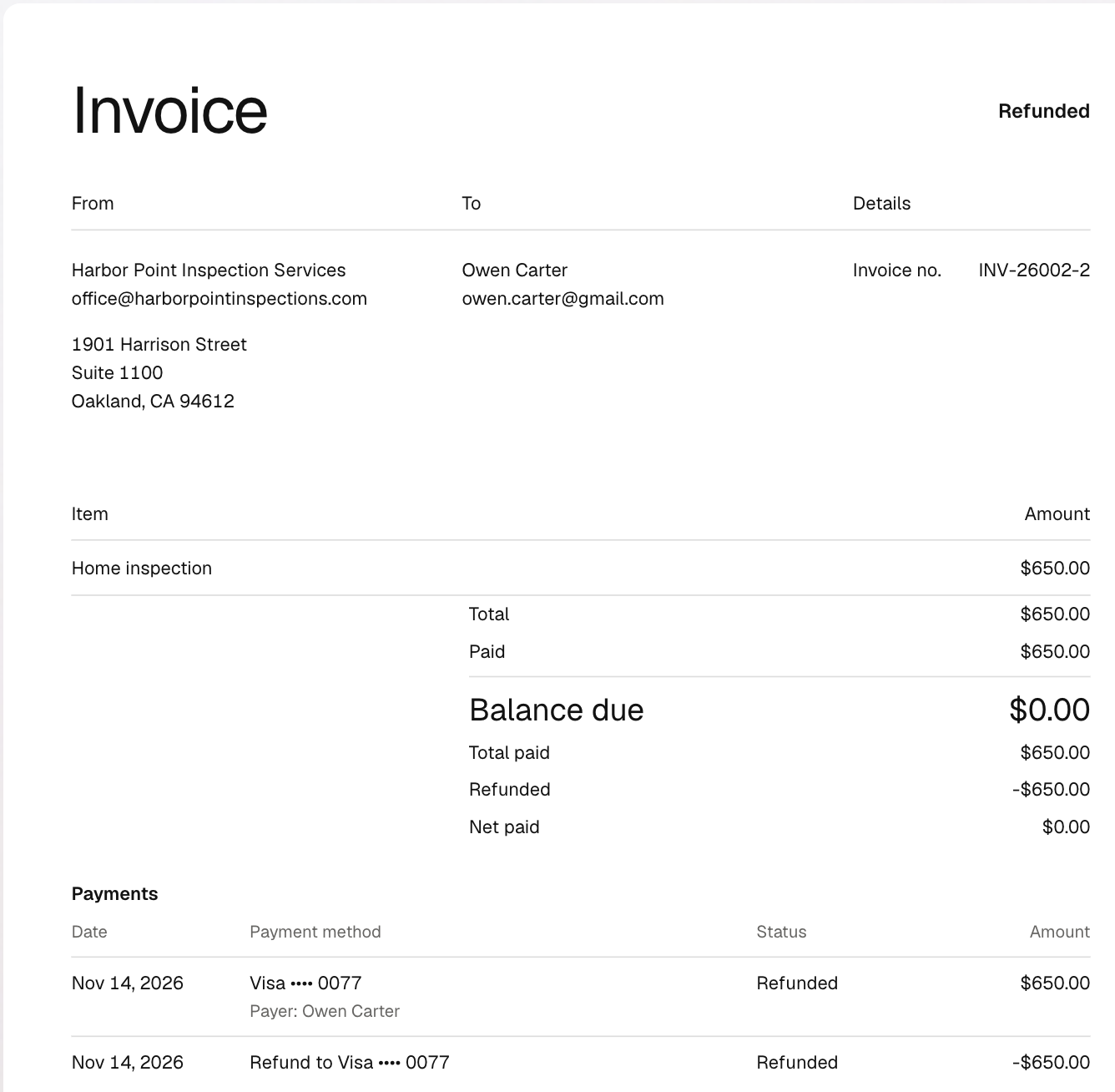
The invoice shows a refund status in place of Paid.
| Status | Meaning |
|---|---|
| Refund pending | The money is on its way. Bank refunds take a few days. |
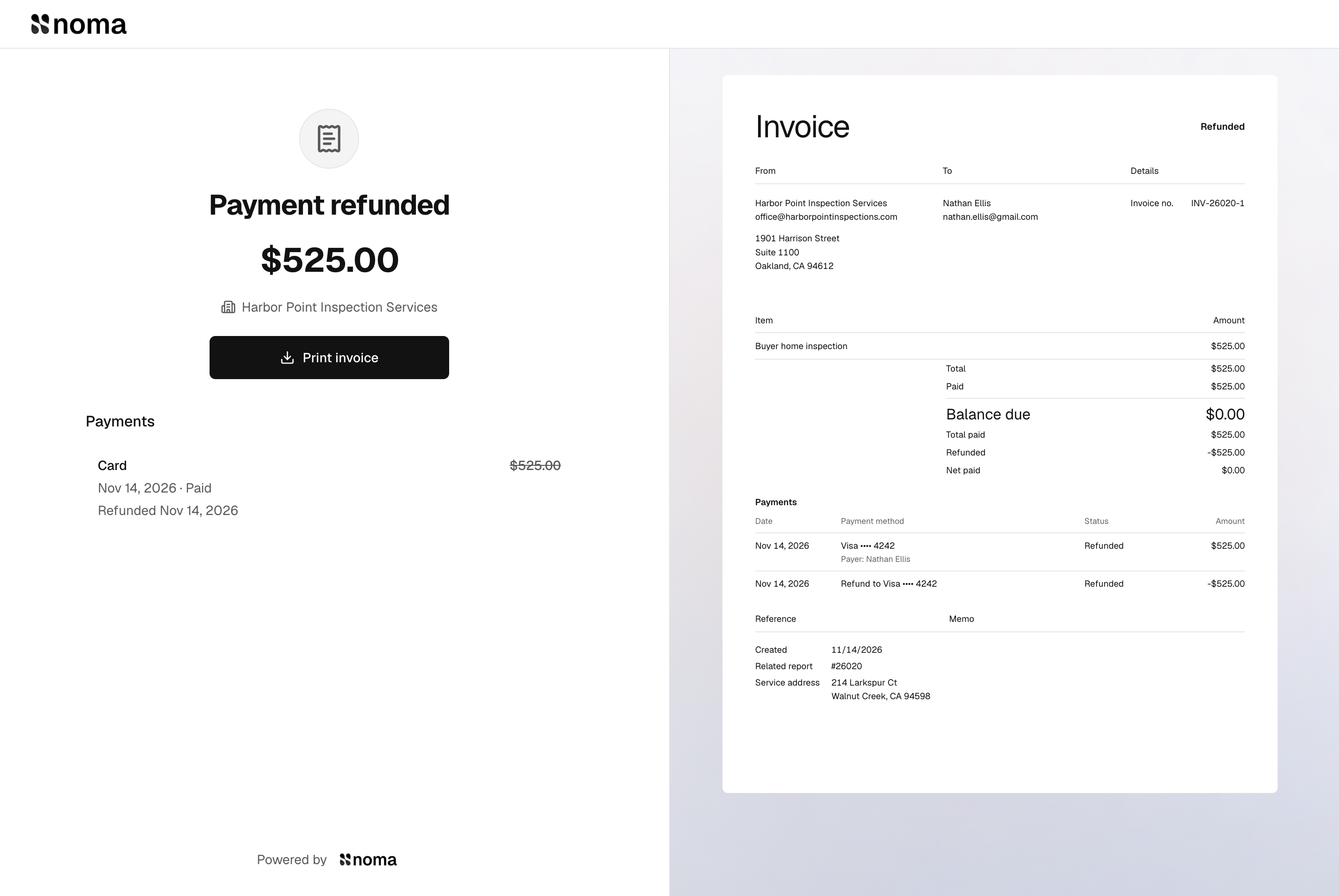
| Refunded | Every payment on the invoice went back to the client. |
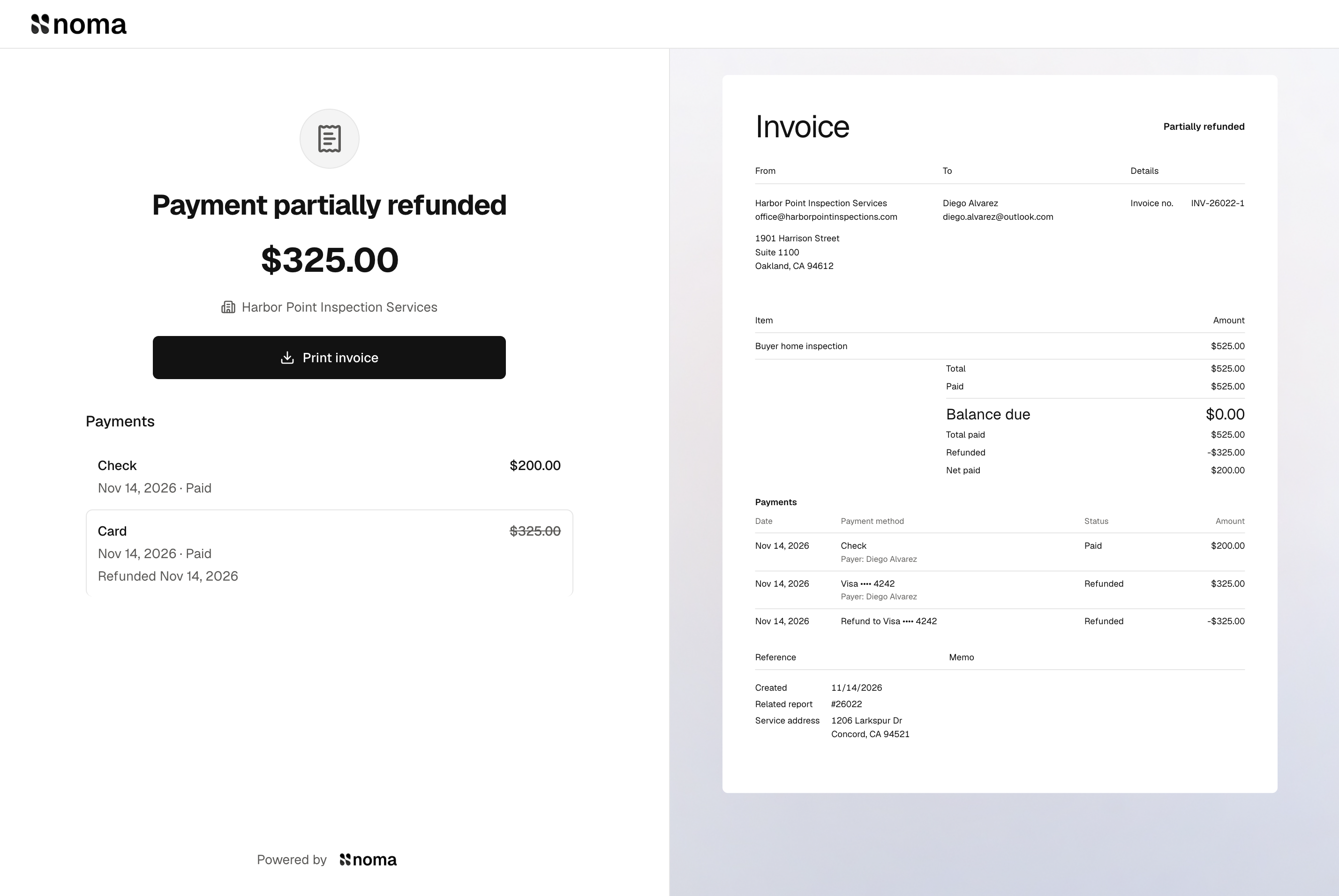
| Partially refunded | The invoice has several payments, and only some were refunded. |
| Refund failed | The card or bank sent the refund back. Fix a failed refund. |
| After a refund | What happens |
|---|---|
| Invoice | Stays closed with $0.00 due. |
| Reminders | None go out. |
| The client's invoice link | Shows the payment and its refund. |
| Report access | Does not change. |
Example: a check and a card
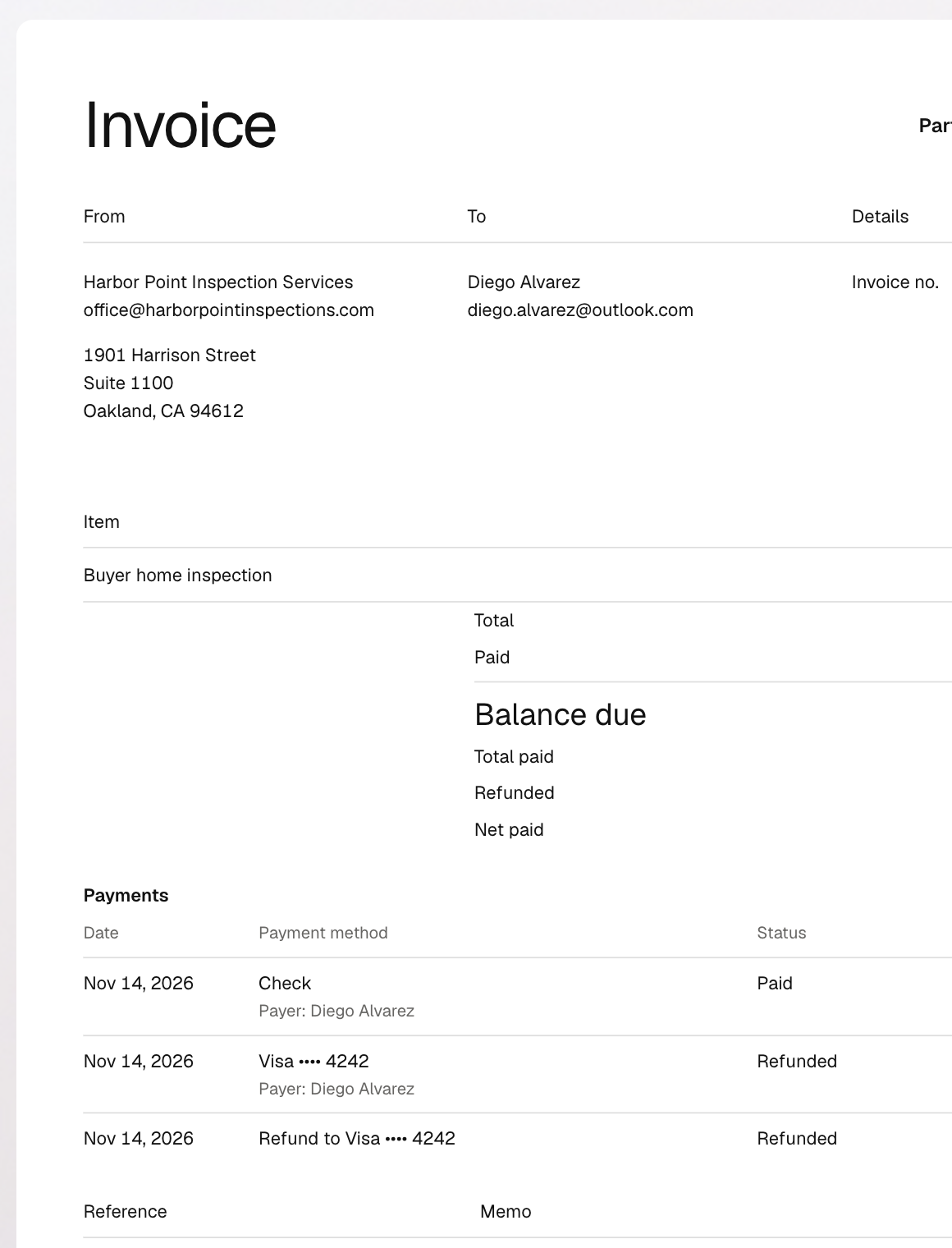
Diego paid $200.00 by check and $325.00 by card. You refund the card payment.
| Payment | After the refund |
|---|---|
| $325.00 card | Refunded. The amount is struck through. |
| $200.00 check | Still Paid. Noma cannot refund it. |
| Invoice | Partially refunded, with Net paid $200.00. |
What the client sees
| Where | What the client sees |
|---|---|
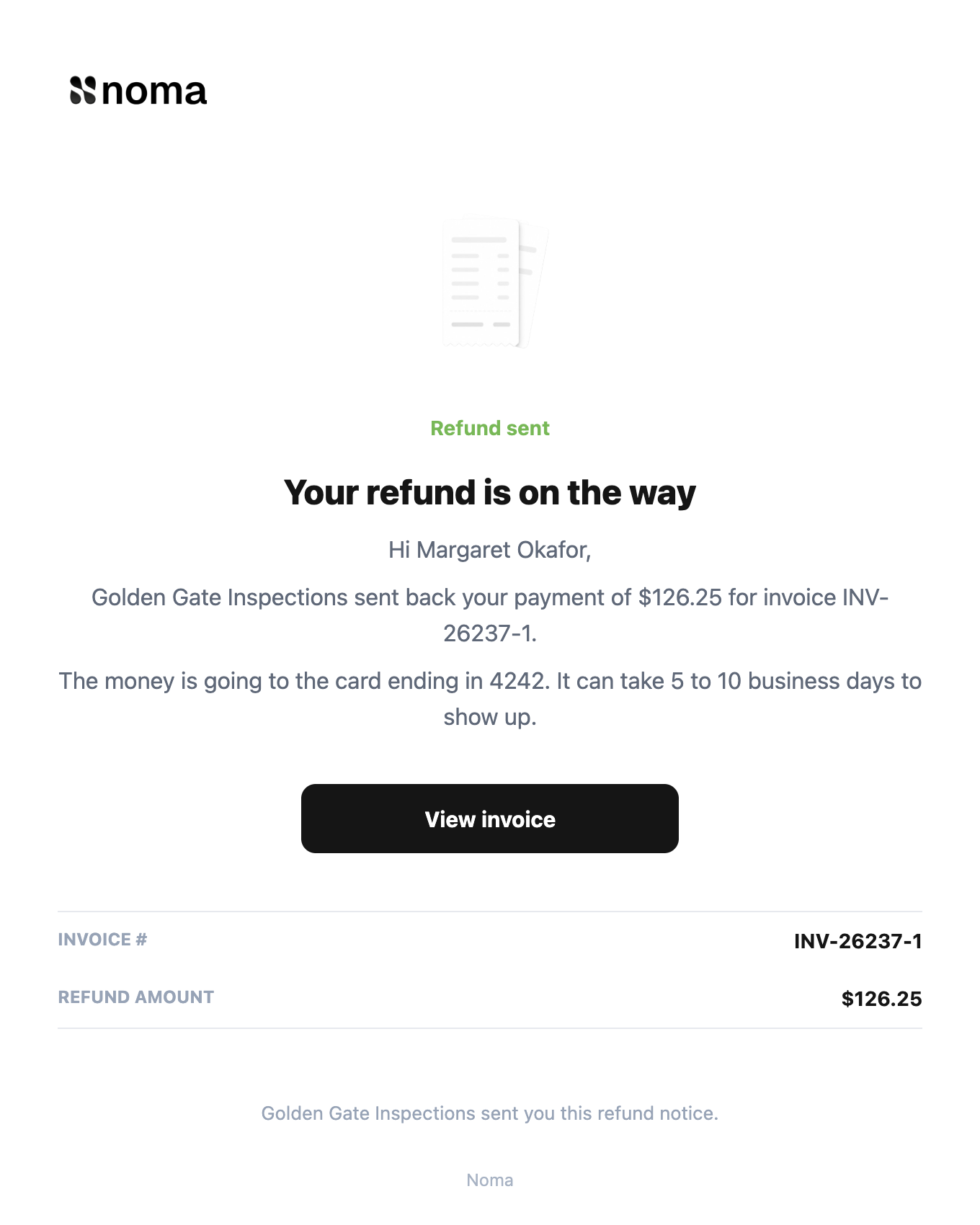
| Refund email | Sent only if Send refund email is on. It shows the amount, the card or bank account's last 4 digits, and when the money arrives. View invoice opens their receipt. Replies go to your company email. |
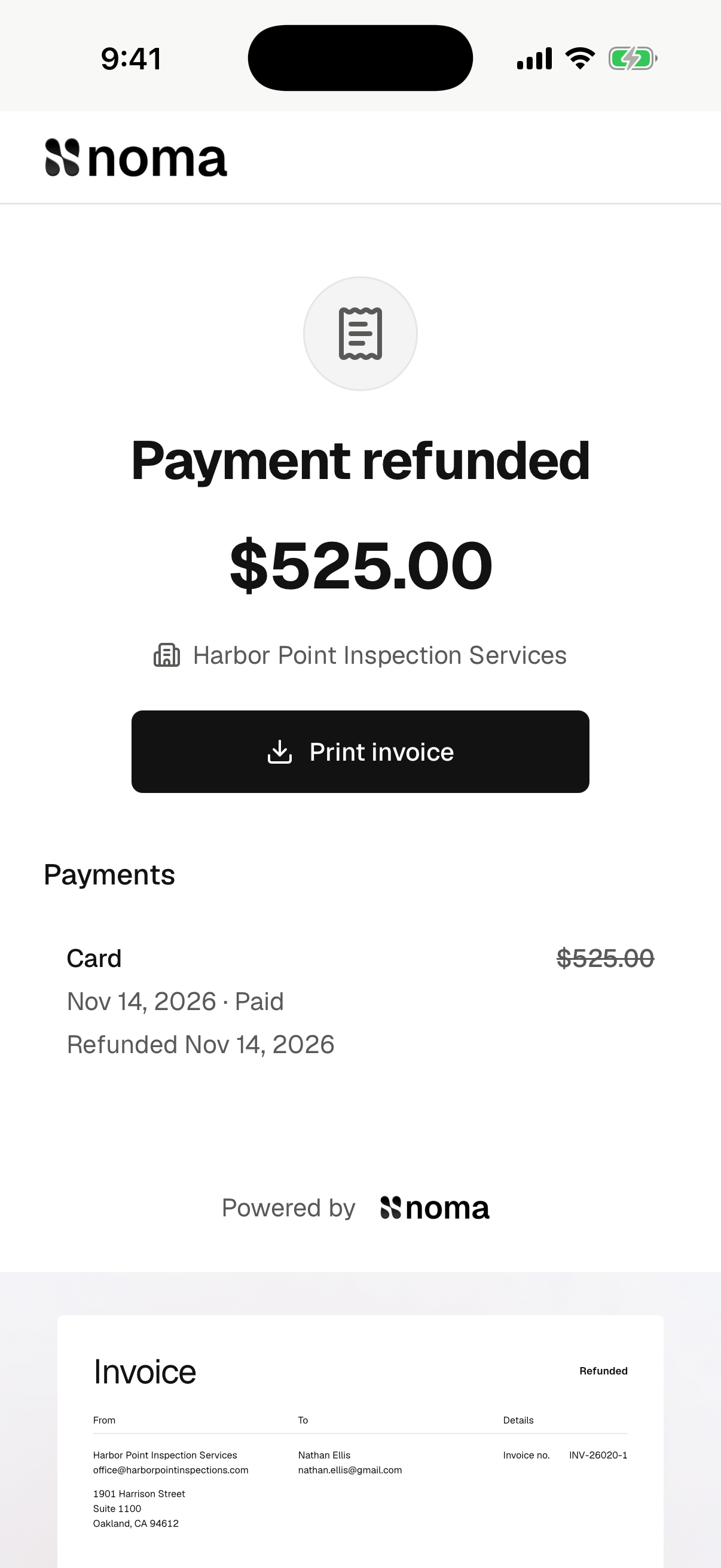
| Receipt link | Payment refunded or Payment partially refunded. The refunded payment is struck through and shows Refunded with the date. Before that it shows Refund pending. |
| A failed refund | Nothing. The receipt shows the payment as paid. Tell the client before you pay them another way. |
Bill the client again
A refund does not reopen the invoice. If the client still owes money, such as after paying with the wrong card:
- Refund every payment on the invoice.
- Void the invoice.
- Create a new invoice.
The voided invoice then shows Voided. Its payments still show each refund.
If your balance is too low
Refunds come out of your balance. This is cleared client money that has not gone to your bank yet.
| Your balance | What happens |
|---|---|
| Covers the refund | The refund can go out. |
| Lower than the refund | The refund is blocked. The dialog shows how much is short. |
You cannot add money to your balance. Try again after new client payments clear. To keep money ready, set a refund reserve.
Set a refund reserve
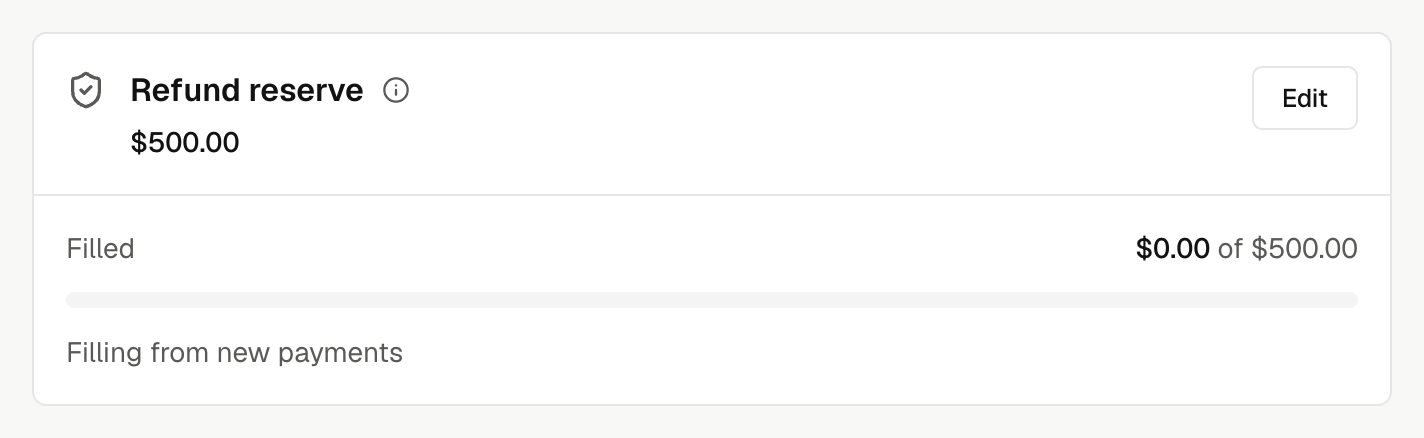
A refund reserve keeps money in your balance so refunds can go out. It starts off.
An Admin or Billing manager opens Settings → Noma payments and opens Refund reserve. Choose Suggested for $500 or select Custom. Select Turn on to start or Save to change it.
| Reserve rule | What to know |
|---|---|
| Payouts | Each automatic payout leaves this amount in your balance. |
| Filling | New payments fill the reserve before anything goes to your bank. |
| Your money | The reserve is still yours. Change it or turn it off any time. |
| Balances | Payments shows Refund reserve on its own. Available for payout leaves it out. |
| Payout page | See whether money stayed in the reserve or went to your bank. |
When you lower the reserve, the next payout can send only the extra money the reserve is already holding. Use the amount shown in the dialog to check what will go to your bank.
Example: a $500.00 reserve
| Cleared money in your balance | Next payout sends | Kept for refunds |
|---|---|---|
| $1,200.00 | $700.00 | $500.00 |
| $300.00 | $0.00 | $300.00 |
Fix a failed refund
Rarely, a card or bank sends a refund back. This can happen when the card or account is closed.
A failed refund cannot be sent again to the same card or bank account.
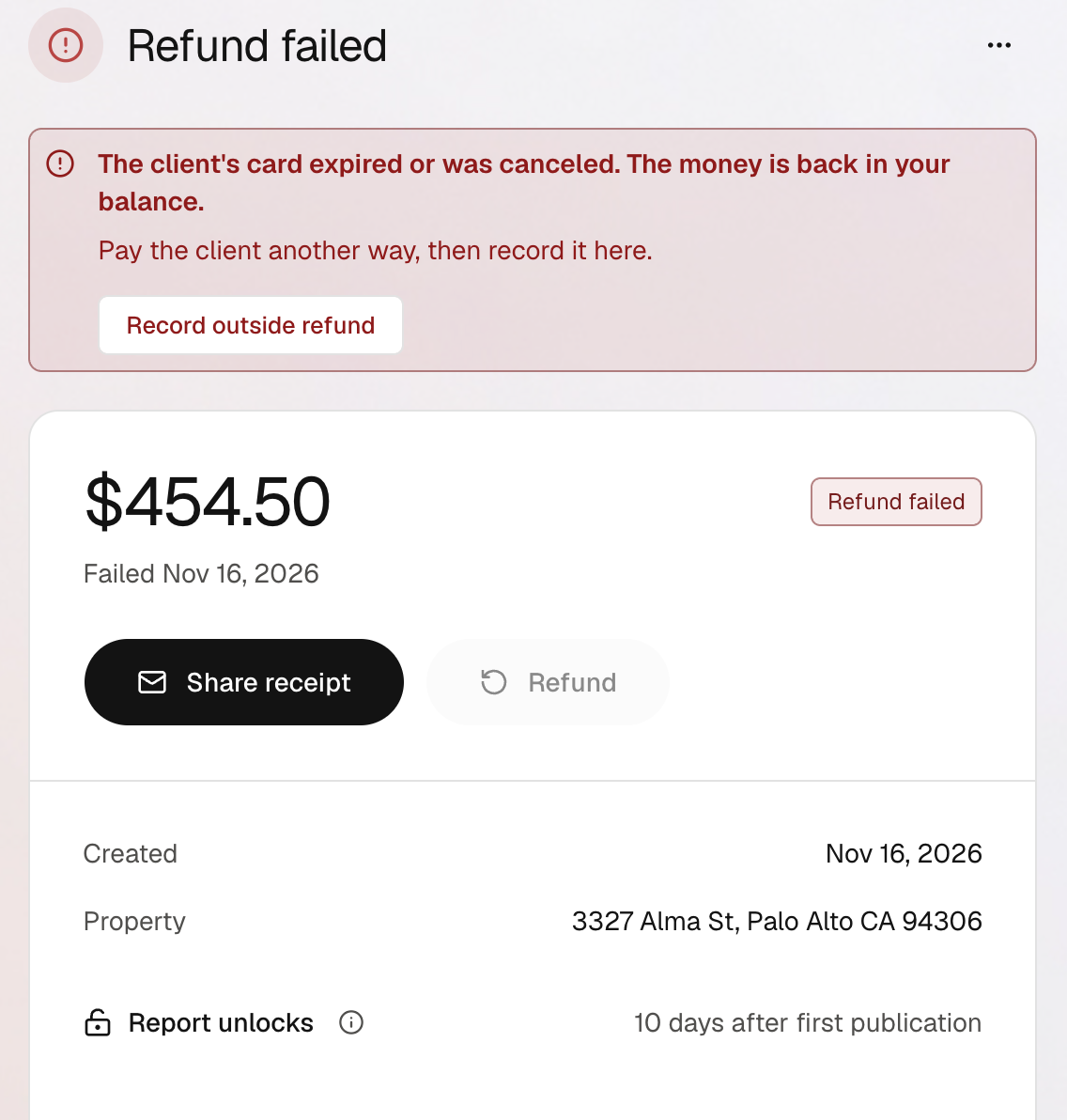
- The refund comes back
The money returns to your balance. The invoice shows Refund failed with the reason.
- Noma tells you
You get a Refund failed notice in Inbox and an email at your company email address.
- Pay the client another way
Pay the client by check, cash, or another way.
- Record it
Open the invoice and select Record outside refund.
An outside refund moves no money
Record outside refund only saves that you paid the client back. Noma sends no money and no email. The invoice shows Refunded, and your reports stay right.
When Refund is turned off
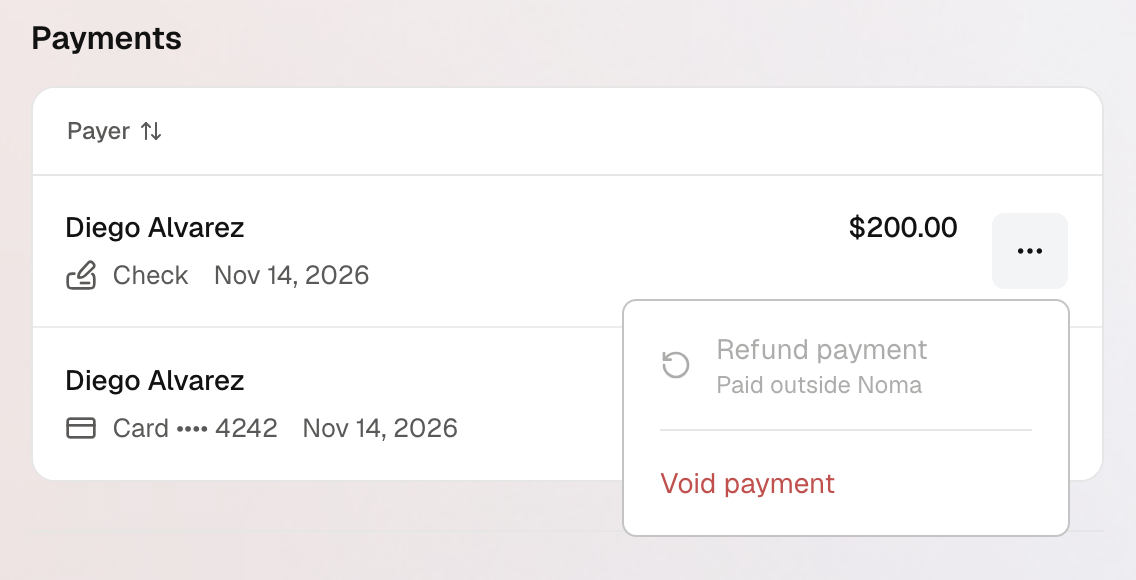
Refund stays on the invoice and shows the reason. Each payment's menu shows its own reason.
| Reason shown | What it means |
|---|---|
| Paid outside Noma | Noma did not collect this money. Void the payment instead. |
| Paid through your earlier payment setup | The payment used an earlier payment account. Noma cannot refund it. |
| Payment is still processing | Wait for the bank payment to finish. |
| Payment is disputed | The client's bank is already taking the money back. Manage the dispute. |
| Payment did not go through | No money was collected. |
| Refund in progress | A refund is already on its way. |
| Already refunded | The client already got this money back. |
| A failed refund can't be sent again | The card or bank sent the refund back. Fix a failed refund. |
| Refund window has closed | More than 180 days have passed since you received the payment. |
| Only admins and billing managers can refund | Ask an Admin or Billing manager. |
| Job is archived | Archived jobs cannot send refunds. |
Refunds in reports
| To check | Open |
|---|---|
| How a refund changes revenue | Track revenue. |
| Refunded invoices, filters, and exports | Review transactions. |